Know where every order is without checking
Every morning, WebRun signs in to Temu, opens your orders, reads the shipping status and estimated delivery date for each open order, posts a digest to Telegram grouped by status, and messages you on WhatsApp about orders that arrived overnight or have slipped past their estimated date.
- No credit card
- Under $0.01 per run
- Cancel anytime
How do I track all my Temu orders in one daily update?
WebRun signs in to Temu every morning and reads the shipping status, estimated delivery date, and latest tracking update for each of your open orders. It posts a digest to Telegram grouped by status and messages you on WhatsApp only about orders delivered overnight or running past their estimated date.
- Every open order has a status without opening the app
- Late deliveries are flagged with how many days they have slipped
- Delivered orders are confirmed once, then leave the list
Built for online shoppers · small retailers · resellers · office managers
What does WebRun do on every run?
The exact actions WebRun takes, in order - in plain language, so you can adjust anything.
-
WebRun signs in and gets to work
Opens
temu.comin a real browser with your saved login - no setup, no API keys. -
1
Temu - read the status of open orders
temu.com
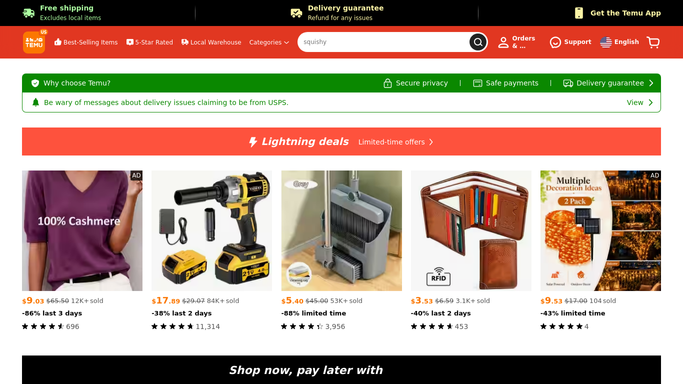
WebRun opens Temu to read the status of open orders. - Sign in to Temu and open your orders list
- For each open order, capture the item, the order date, the amount, and the current shipping status
- Read the estimated delivery date and the latest tracking update
- Mark orders past their estimated date as late, and orders newly marked delivered
Done when Every open order has a status, an estimated date, and a late or delivered flag.
-
2
Telegram - post the tracking digest
telegram.org How to Automate Telegram

WebRun opens Telegram to post the tracking digest. - Post the digest grouped by status: late, out for delivery, in transit, and processing
- Show the item, the estimated date, and the last tracking update on every line
- Add the total value still in transit so open exposure is visible at a glance
Done when The full order digest is in Telegram, grouped by status.
-
3
WhatsApp - flag late and delivered orders
whatsapp.com How to Automate WhatsApp

WebRun opens WhatsApp to flag late and delivered orders. - Message you only about exceptions: orders delivered overnight and orders now past their estimated date
- Include how many days late each one is and the last tracking scan
- Note which late orders are inside the window where a refund or support request is still possible, and leave that decision to you
Done when You have been told about every delivery and every delay, and nothing else.
How is each run configured?
Secure by default
Connect once, stays signed in
WebRun signs in once and keeps each session in a persistent environment, so every run picks up right where it left off.
Every action is checked against this policy before it runs.
Questions, answered
Can it buy anything or open a refund request?
No. WebRun only reads your orders page. It never places an order, never reorders an item, never contacts a seller, and never files a refund or support request. It flags the option and leaves the decision to you.
Where do the messages go?
To your own Telegram channel and your own WhatsApp. WebRun never messages a seller or a courier, and your order details never leave the channels you connected.
What happens when an order is delivered?
It appears once in the WhatsApp exceptions message as newly delivered, then drops out of the digest on the following run, so the daily list only ever shows what is genuinely still open.
Related templates
Put this on autopilot.
Turn it on in minutes - or have our team set it up for you.