Reduce no-shows with timely appointment reminders
Every morning, WebRun opens Booksy, finds appointments scheduled in the next 48 hours, drafts a personalised reminder text for each client via Twilio, and posts the batch to Slack for your review and approval before a single message leaves the studio.
- No credit card
- Under $0.01 per run
- Cancel anytime
What does WebRun do on every run?
The exact actions WebRun takes, in order - in plain language, so you can adjust anything.
-
WebRun signs in and gets to work
Opens
booksy.comin a real browser with your saved login - no setup, no API keys. -
1
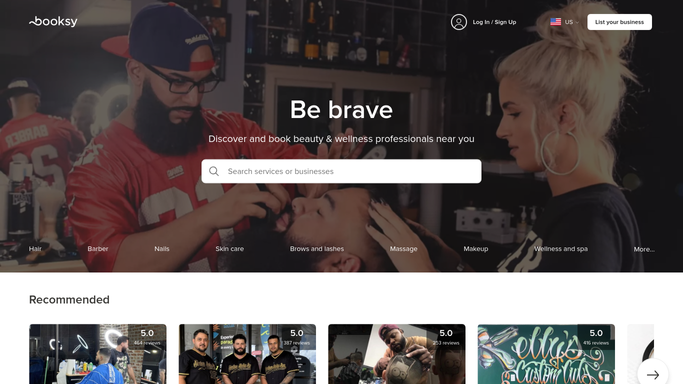
Booksy - find upcoming appointments
booksy.com How to Automate Booksy

WebRun opens Booksy to find upcoming appointments. - Open Booksy and filter for appointments in the next 48 hours
- Collect the client name, phone number, artist name, appointment time, and service type for each booking
- Skip any client who already received a reminder this cycle
Done when All upcoming appointments are listed with client contact details and session information.
-
2
Twilio - draft reminder texts
twilio.com How to Automate Twilio
WebRun opens Twilio to draft reminder texts. - Compose a personalised reminder text for each client naming their artist, date, time, and any prep instructions such as keeping the area moisturised
- Stage the messages in Twilio but do not send. Hold them in a draft queue pending approval
- Include a brief cancellation or rescheduling link if your studio uses one
Done when All reminder texts are drafted in Twilio and held unsent, awaiting staff approval.
-
3
Slack - queue for approval
slack.com How to Automate Slack
WebRun opens Slack to queue for approval. - Post a Slack message listing each client, their appointment time, and a preview of their reminder text
- Include a prompt for a team member to approve and trigger the send in Twilio
Done when The team has a Slack review list of all pending reminder texts before any are sent.


How do I automatically send appointment reminders to tattoo clients?
WebRun opens Booksy every morning, finds appointments in the next 48 hours, and drafts a personalised reminder text for each client via Twilio. The full batch is posted to Slack for your team to review and approve, so no reminder goes out without a human check and no-show rates drop.
- No-show rates fall as every client gets a timely reminder before their session
- Draft texts are reviewed in Slack before any message reaches a client
- Reminder prep takes seconds instead of a manual phone or text marathon
Built for tattoo studios · tattoo artists · body art studios · studio front-desk staff
How is each run configured?
Secure by default
Connect once, stays signed in
WebRun signs in once and keeps each session in a persistent environment, so every run picks up right where it left off.
Every action is checked against this policy before it runs.
Questions, answered
Will it text clients without anyone approving first?
No. All reminder texts are drafted and held unsent in Twilio. WebRun posts them to Slack for a team member to review and approve before a single message is delivered to a client.
What does the reminder text say?
Each text includes the client's name, artist, appointment date and time, and any prep instructions you specify. You can provide a tone or a sample and WebRun will match your studio's voice.
What happens if a client has already cancelled or rescheduled?
WebRun reads the live appointment status in Booksy each morning, so any cancellation or reschedule made before the run is automatically excluded from the reminder batch.
Related templates
Put this on autopilot.
Turn it on in minutes - or have our team set it up for you.