Turn client asks buried in chat into a queue with an owner
Every hour, WebRun opens Symphony, reads the new messages in your client rooms, picks out the asks and commitments that have not yet been answered, logs each one in Airtable with the room, the person, and the time it was raised, and keeps a live open queue in Notion so nothing agreed in a busy chat quietly slips.
- No credit card
- Under $0.01 per run
- Cancel anytime
How do I track client requests raised in chat rooms?
WebRun turns chat into a work queue every hour. It reads your Symphony client rooms for asks that were raised and not yet answered, logs each with the room, requester, and time in Airtable, and keeps a live Notion queue with a named owner, so nothing agreed in chat goes unanswered.
- Every open client ask has an owner within the hour
- Response time per request becomes a measurable number
- Nothing promised in a busy room quietly goes unanswered
Built for coverage and sales desks · client service teams · capital markets operations · relationship managers
What does WebRun do on every run?
The exact actions WebRun takes, in order - in plain language, so you can adjust anything.
-
WebRun signs in and gets to work
Opens
symphony.comin a real browser with your saved login - no setup, no API keys. -
1
Symphony - read client rooms for open asks
symphony.com
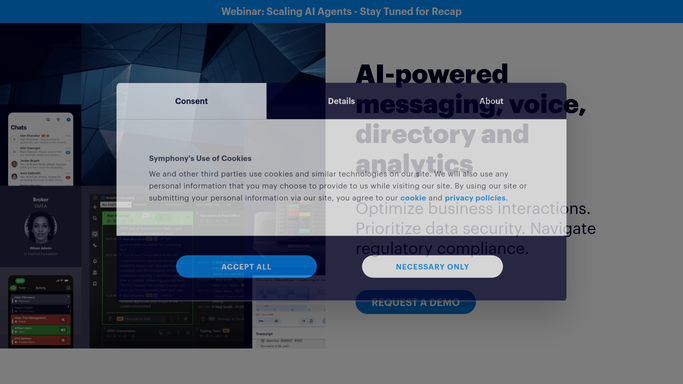
WebRun opens Symphony to read client rooms for open asks. - Sign in to Symphony and open the client rooms you cover
- Read the messages posted since the last run and pick out requests, questions, and commitments your side made
- Note the room, who raised it, the time, whether an attachment was involved, and whether anyone has already answered
Done when Every unanswered ask from the last hour has been identified with its room and time.
-
2
Airtable - log each ask with its room and time
airtable.com How to Automate Airtable

WebRun opens Airtable to log each ask with its room and time. - Add a row per open ask to your coverage base with the client, the room, the requester, the time raised, and a one-line summary
- Assign the owner by room coverage so every row has a named person from the moment it appears
- Close a row once a reply has been posted in the room, keeping the time taken so response speed is measurable
Done when Every open ask has a row with a named owner and a timestamp.
-
3
Notion - keep the open queue visible
notion.so How to Automate Notion

WebRun opens Notion to keep the open queue visible. - Update the desk's open queue page in Notion with everything still outstanding, oldest first
- Show the client, the room, the owner, and the hours it has been open on each item
- Leave replying to the client to your desk. WebRun never posts a message into a Symphony room
Done when The desk queue shows every outstanding client ask with its age and owner.
How is each run configured?
Secure by default
Connect once, stays signed in
WebRun signs in once and keeps each session in a persistent environment, so every run picks up right where it left off.
Every action is checked against this policy before it runs.
Questions, answered
Will it reply to clients in the chat room?
No. WebRun reads rooms and builds an internal queue. It never posts a message, sends a file, or answers a client in Symphony, so every client-facing word comes from your desk.
Does client chat content leave our systems?
Only a one-line summary, the room name, and the timestamp are written to your own Airtable and Notion. Full message content and attachments stay in Symphony.
How does it know an ask is already handled?
It checks whether anyone on your side replied after the request in the same room. Once a reply lands, the row closes and keeps the time it took to answer.
Related templates
Put this on autopilot.
Turn it on in minutes - or have our team set it up for you.