Recap your Substack numbers every morning
Every morning, WebRun opens Substack, checks new subscriber counts and the latest post's open and click performance, posts the digest to Microsoft Teams, and logs a Trello card summarizing it for the content calendar.
- No credit card
- Under $0.01 per run
- Cancel anytime
How do I get a daily digest of my Substack growth and post performance?
WebRun checks Substack every morning for new subscribers and the latest post's open and click rates, posts the digest to Microsoft Teams, and logs a Trello card summarizing it for the content calendar, so your team starts the day knowing exactly how the newsletter is growing and performing.
- The team sees subscriber growth and post performance every morning
- Underperforming posts get flagged for the content calendar the same day
- No more manually checking Substack analytics each day
Built for newsletter writers · content teams · independent publishers
What does WebRun do on every run?
The exact actions WebRun takes, in order - in plain language, so you can adjust anything.
-
WebRun signs in and gets to work
Opens
substack.comin a real browser with your saved login - no setup, no API keys. -
1
Substack - check subscribers and post performance
substack.com
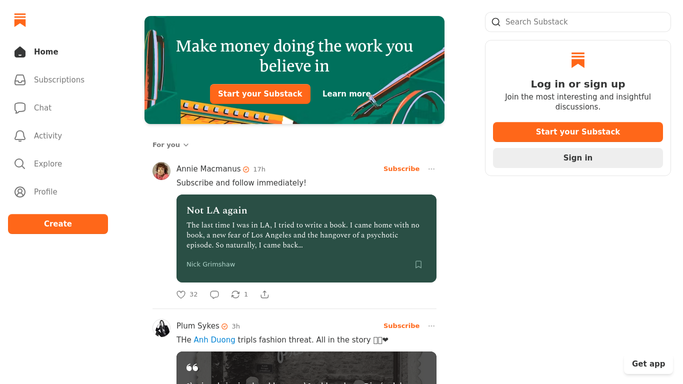
WebRun opens Substack to check subscribers and post performance. - Open Substack and check new subscribers gained since yesterday
- Pull the latest post's open rate and click rate
- Note any change in paid subscriber count
Done when Today's subscriber and post performance numbers are captured.
-
2
Microsoft Teams - post the digest
microsoft.com How to Automate Microsoft Teams

WebRun opens Microsoft Teams to post the digest. - Open the content team channel in Microsoft Teams
- Post the subscriber growth and latest post performance
- Note any post underperforming its usual open rate
Done when Today's digest is posted to Microsoft Teams.
-
3
Trello - log a content-planning card
trello.com How to Automate Trello

WebRun opens Trello to log a content-planning card. - Open the content calendar board in Trello
- Add a card summarizing today's numbers for planning reference
- Flag it for follow-up if a post underperformed
Done when Today's numbers are logged as a Trello card.
How is each run configured?
Secure by default
Connect once, stays signed in
WebRun signs in once and keeps each session in a persistent environment, so every run picks up right where it left off.
Every action is checked against this policy before it runs.
Questions, answered
Does it publish or edit posts for me?
No. WebRun only reads subscriber and performance data. Writing and publishing a post is always done by you in Substack.
Does it message my subscribers?
No. The digest goes to your internal Microsoft Teams channel and a Trello card, never to your Substack readers.
What counts as underperforming?
A post whose open or click rate falls noticeably below your recent average, based on what Substack's own analytics show.
Related templates
Put this on autopilot.
Turn it on in minutes - or have our team set it up for you.