Catch when your API stops matching its Stoplight spec
Every night, WebRun opens Stoplight, reviews each published API spec for changes since the last check, compares it against the archived design doc in Google Drive, and texts the API owner when a change looks like a breaking change, such as a removed field or endpoint, so drift gets caught before consumers hit it.
- No credit card
- Under $0.01 per run
- Cancel anytime
How do I catch a breaking change in my Stoplight API spec quickly?
WebRun compares every published Stoplight API spec against its archived design doc in Google Drive each night, and texts the API owner whenever a change looks breaking, such as a removed field or endpoint. This means spec drift that could break existing consumers gets caught and flagged the same night it happens, not weeks later during a support ticket.
- Breaking changes get caught the same night instead of during a support escalation
- The API owner gets a direct text only when it actually matters
- A current archived design doc always exists for comparison
Built for API platform teams · backend engineering leads · integration teams · API governance owners
What does WebRun do on every run?
The exact actions WebRun takes, in order - in plain language, so you can adjust anything.
-
WebRun signs in and gets to work
Opens
stoplight.io/sign-inin a real browser with your saved login - no setup, no API keys. -
1
Stoplight - review spec changes
stoplight.io
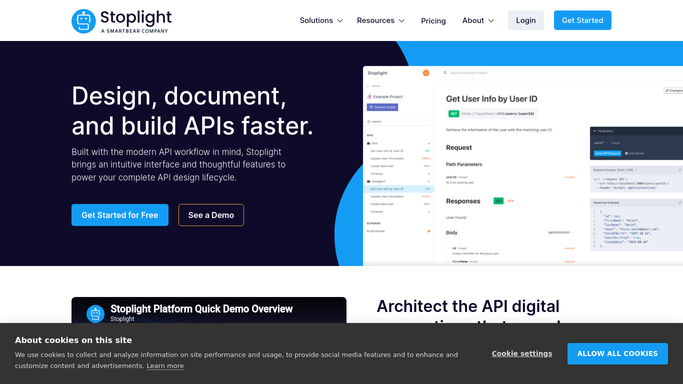
WebRun opens Stoplight to review spec changes. - Open Stoplight and review each published API spec for changes since the last check
- Note any added, removed, or modified endpoint and field
- Flag any change that looks like it would break existing consumers, such as a removed field or endpoint
Done when Every spec change since the last check is recorded with whether it looks breaking.
-
2
Twilio - compare against the archived design
twilio.com How to Automate Twilio

WebRun opens Twilio to text the owner on breaking changes. - Send a text to the API owner only when a breaking change is detected
- Include the API name and the specific removed or changed field or endpoint
- Skip sending if no breaking change was found
Done when The API owner has been texted whenever a breaking change is detected in the spec.
-
3
Google Drive - text the owner on breaking changes
drive.google.com How to Automate Google Drive

WebRun opens Google Drive to compare against the archived design. - Open the API Design Docs folder in Google Drive
- Compare the current Stoplight spec against the archived design doc for that API
- Update the archived copy once the comparison is complete
Done when The archived design doc is compared against the live spec and kept current.
How is each run configured?
Secure by default
Connect once, stays signed in
WebRun signs in once and keeps each session in a persistent environment, so every run picks up right where it left off.
Every action is checked against this policy before it runs.
Questions, answered
Will WebRun revert the spec change itself?
No. It only detects and reports the change. Reverting or approving a spec update stays a decision for the API owner in Stoplight.
What counts as a breaking change?
A removed endpoint, a removed required field, or a changed field type, the kinds of changes most likely to break an existing consumer of the API.
Does it text every night even with no changes?
No. The text only goes out when a breaking change is actually detected, so a quiet night stays quiet.
Related templates
Put this on autopilot.
Turn it on in minutes - or have our team set it up for you.