See which watchlist tickers people actually talked about
Every Monday, WebRun opens StockTwits, walks your watchlist symbol by symbol, counts how many messages each one drew over the past week against the week before, posts the full recap to Microsoft Teams, and sends you a short Telegram note on the names where attention moved most.
- No credit card
- Under $0.01 per run
- Cancel anytime
How do I see which of my watchlist tickers were most discussed this week?
WebRun opens StockTwits every Monday and counts the past week's messages for each symbol on your watchlist, comparing it to the week before. It posts the full recap to Microsoft Teams and sends the biggest attention movers to Telegram, so research time goes to the names people are actually discussing.
- One weekly read on where attention moved across the whole watchlist
- Quiet names are visible as quiet, not just missing
- No daily notification noise, one recap on Monday
Built for retail investors · investment clubs · market researchers · finance content creators
What does WebRun do on every run?
The exact actions WebRun takes, in order - in plain language, so you can adjust anything.
-
WebRun signs in and gets to work
Opens
stocktwits.comin a real browser with your saved login - no setup, no API keys. -
1
StockTwits - measure a week of message volume
stocktwits.com
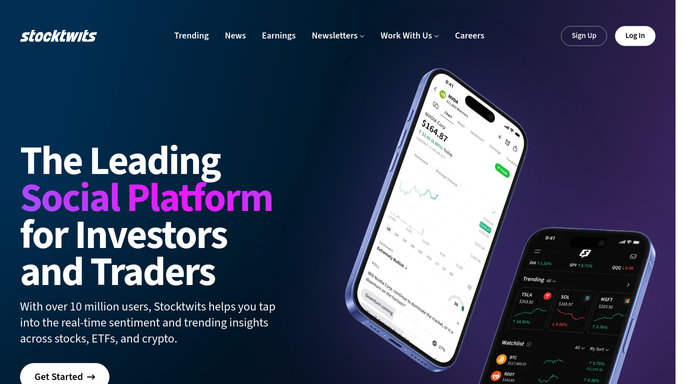
WebRun opens StockTwits to measure a week of message volume. - Open StockTwits and load your watchlist
- For each symbol, open its stream and count the messages posted over the past seven days
- Compare that count against the previous seven days for the same symbol
- Note which of your symbols appeared on the trending list during the week
- Capture the recurring themes people raised, without treating any of it as fact
Done when Every watchlist symbol has this week's message volume and its change on last week.
-
2
Microsoft Teams - post the full watchlist recap
microsoft.com How to Automate Microsoft Teams

WebRun opens Microsoft Teams to post the full watchlist recap. - Post the full recap to your research channel, one line per watchlist symbol
- Show this week's message count, last week's, and the change
- Mark the symbols that appeared on the trending list
- Add a short note of the themes raised, labelled clearly as what people said, not as fact
Done when The research channel has the full watchlist recap for the week.
-
3
Telegram - send the biggest attention movers
telegram.org How to Automate Telegram

WebRun opens Telegram to send the biggest attention movers. - Send yourself the handful of symbols whose message volume moved most
- Show the change as a plain before and after count
- Keep it short enough to read on a phone
- Report volume only. WebRun never suggests buying or selling anything
Done when You have the week's biggest attention movers in Telegram.
How is each run configured?
Secure by default
Connect once, stays signed in
WebRun signs in once and keeps each session in a persistent environment, so every run picks up right where it left off.
Every action is checked against this policy before it runs.
Questions, answered
Is this investment advice?
No. WebRun reports how much people posted about each symbol and nothing more. It makes no recommendation, places no trade, and never suggests buying or selling. What you do with the read is entirely your call.
Will it post to StockTwits on my behalf?
No. WebRun only reads your watchlist streams. It never posts a message, follows an account, or interacts with anyone, so your StockTwits presence is unchanged.
What counts as a big move in attention?
You set the threshold, for example a doubling in weekly message count. WebRun compares each symbol against its own previous week rather than against other tickers.
Related templates
Put this on autopilot.
Turn it on in minutes - or have our team set it up for you.