Catch a failed quality gate before it blocks a merge
Every hour, WebRun opens SonarCloud, checks every monitored project's quality gate status, posts an alert to Microsoft Teams the moment a gate newly fails naming the project and which condition tripped it, and creates a Trello card to track the fix so a failing gate gets resolved instead of blocking merges indefinitely.
- No credit card
- Under $0.01 per run
- Cancel anytime
How do I get alerted when a SonarCloud quality gate fails?
WebRun checks SonarCloud every hour for a project whose quality gate newly fails. It posts an alert to Microsoft Teams naming the project and the tripped condition, and creates a Trello card to track the fix, so a failing gate gets resolved instead of quietly blocking merges until someone notices.
- Failed quality gates get an alert within the hour
- Every failure has a tracked Trello card until it's resolved
- Merges stop getting silently blocked by an unnoticed gate failure
Built for engineering teams · tech leads · DevOps · software development teams
What does WebRun do on every run?
The exact actions WebRun takes, in order - in plain language, so you can adjust anything.
-
WebRun signs in and gets to work
Opens
sonarcloud.io/sessions/newin a real browser with your saved login - no setup, no API keys. -
1
SonarCloud - check for a failed quality gate
sonarcloud.io
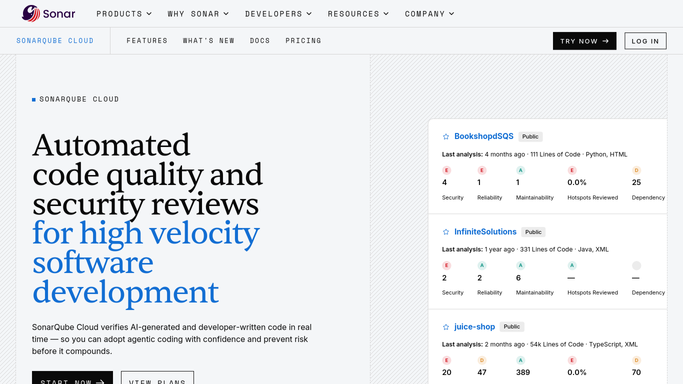
WebRun opens SonarCloud to check for a failed quality gate. - Open SonarCloud and check the quality gate status for every monitored project
- Capture the project and which condition tripped the gate for anything newly failed
- Skip projects already alerted on for this failure
Done when Every project with a newly failed quality gate is listed with the tripped condition.
-
2
Microsoft Teams - alert the channel
microsoft.com How to Automate Microsoft Teams

WebRun opens Microsoft Teams to alert the channel. - Post an alert to the engineering channel naming the project and tripped condition
- Note whether it's blocking an open pull request
- Link the project in SonarCloud
Done when The engineering channel has an alert for every newly failed quality gate.
-
3
Trello - card the fix for the team
trello.com How to Automate Trello

WebRun opens Trello to card the fix for the team. - Create a card on the quality board for each newly failed gate
- Title it with the project and tripped condition
- Move the card to done once the gate passes again
Done when Every newly failed gate has a card, and passing ones are marked done.
How is each run configured?
Secure by default
Connect once, stays signed in
WebRun signs in once and keeps each session in a persistent environment, so every run picks up right where it left off.
Every action is checked against this policy before it runs.
Questions, answered
Will it fix the code or change the quality gate rules?
No. WebRun only reports the failure. Fixing the code or changing gate conditions is always done by your engineers.
How fast does a failure get reported?
Within the hour it happens, since every project's quality gate status is checked each hour.
What happens once the gate passes again?
Its Trello card moves to done automatically the next time the check finds the gate passing.
Related templates
Put this on autopilot.
Turn it on in minutes - or have our team set it up for you.