Reconcile marketplace fees against your payouts
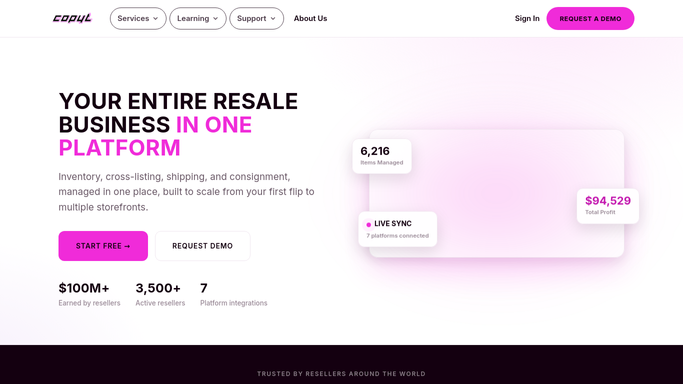
Every Monday, WebRun opens Copyt, matches each sale's marketplace fee against the payout that landed in Stripe, reconciles the totals in QuickBooks, and posts Slack any sale where the fee does not match.
- No credit card
- Under $0.01 per run
- Cancel anytime
What does WebRun do on every run?
The exact actions WebRun takes, in order - in plain language, so you can adjust anything.
-
WebRun signs in and gets to work
Opens
connect.copyt.ioin a real browser with your saved login - no setup, no API keys. -
1
Copyt - pull each sale's expected fee
copyt.io How to Automate Copyt

WebRun opens Copyt to pull each sale's expected fee. - Open Copyt and pull every sale from the past week with its marketplace
- Capture the expected fee for each marketplace: StockX, eBay, Whatnot, and Shopify
- Total the expected fees for the week
Done when Every sale this week has an expected fee captured by marketplace.
-
2
Stripe - match the payout that landed
stripe.com How to Automate Stripe
WebRun opens Stripe to match the payout that landed. - Check Stripe for the actual net payout received per sale
- Back into the fee actually charged from the gross and net amounts
- Compare it against the expected fee from Copyt
Done when Every sale's actual charged fee is confirmed against Stripe.
-
3
QuickBooks - reconcile the totals
- Post the week's fee totals to the marketplace fee expense account
- Match the booked total against the reconciled Stripe totals
- Flag any account balance that doesn't tie out
Done when The week's fees are booked and reconciled in QuickBooks.
-
4
Slack - flag any mismatch
slack.com How to Automate Slack
WebRun opens Slack to flag any mismatch. - Post a summary of total fees reconciled for the week
- List any individual sale where the charged fee didn't match the expected fee
- Flag the largest mismatches first for someone to double check
Done when Your team has this week's fee reconciliation summary in Slack.


How do I reconcile marketplace fees against what I actually got paid?
Every Monday, WebRun opens Copyt to match each sale's expected marketplace fee against the payout that actually landed in Stripe, then reconciles the totals in QuickBooks. It posts Slack any sale where the charged fee doesn't match, so fee discrepancies get caught weekly instead of at a year-end audit.
- Fee mismatches get caught weekly instead of at a year end audit
- Reconciled totals post straight to QuickBooks with no manual entry
- Every flagged mismatch names the exact sale, not just a lump sum gap
Built for sneaker resale shops · multi-marketplace resellers · resale bookkeepers
How is each run configured?
Secure by default
Connect once, stays signed in
WebRun signs in once and keeps each session in a persistent environment, so every run picks up right where it left off.
Every action is checked against this policy before it runs.
Questions, answered
Will it change my books or fix a mismatch on its own?
It books the reconciled fee totals, but it never adjusts a mismatched entry by itself. Any sale where the charged fee doesn't match gets flagged for your team to look into.
How does it know the actual fee charged?
It compares the gross sold price against the net payout that actually landed in Stripe, so the fee is calculated from real transfer data, not an assumed marketplace rate.
What counts as a mismatch worth flagging?
Any sale where the fee Stripe actually charged differs from what Copyt expected for that marketplace, since that's usually a sign of a promo, a fee change, or a booking error worth checking.
Related templates
Put this on autopilot.
Turn it on in minutes - or have our team set it up for you.