Recap each day's resale sales for you
Every night, WebRun opens Copyt, totals every pair sold that day across StockX, eBay, Whatnot, and Shopify, checks that each payout has landed in Stripe, and posts a short sales digest to Slack before you close up.
- No credit card
- Under $0.01 per run
- Cancel anytime
What does WebRun do on every run?
The exact actions WebRun takes, in order - in plain language, so you can adjust anything.
-
WebRun signs in and gets to work
Opens
connect.copyt.ioin a real browser with your saved login - no setup, no API keys. -
1
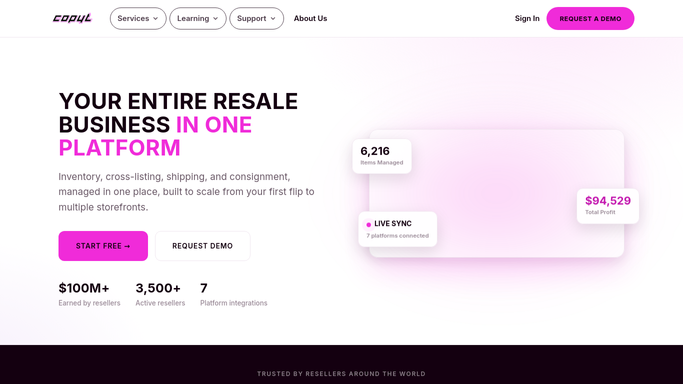
Copyt - total the day's sold pairs
copyt.io How to Automate Copyt

WebRun opens Copyt to total the day's sold pairs. - Open Copyt and filter sales to today's date
- Total units sold, gross revenue, and the marketplace each pair sold on
- Note any pair still pending payout confirmation
Done when Every pair sold today is totaled with its marketplace and price.
-
2
Stripe - confirm payouts landed
stripe.com How to Automate Stripe
WebRun opens Stripe to confirm payouts landed. - Check Stripe for today's settled payouts and transfers
- Match each payout against the Copyt sales total
- Flag any sale whose payout has not landed yet
Done when Today's payouts are matched against today's sales.
-
3
Slack - post the nightly digest
slack.com How to Automate Slack
WebRun opens Slack to post the nightly digest. - Post a short digest of units sold, revenue, and top marketplace
- Note any payout still pending
- Leave the full breakdown for whoever wants to dig in
Done when You have tonight's sales digest waiting in Slack.


How do I get a daily digest of my resale sales?
Every night, WebRun opens Copyt, totals the pairs sold that day across StockX, eBay, Whatnot, and Shopify, and checks Stripe to confirm each payout actually landed. It then posts a short sales digest to Slack, so you close the day knowing exactly what sold, what paid out, and what is still pending, without opening four dashboards.
- See tonight's total sales before you close up, not tomorrow afternoon
- Payouts are checked against Stripe so revenue numbers are always confirmed
- No need to open StockX, eBay, Whatnot, and Shopify separately just to add it up
Built for sneaker resellers · streetwear resale shops · consignment sneaker stores · multi-marketplace resellers
How is each run configured?
Secure by default
Connect once, stays signed in
WebRun signs in once and keeps each session in a persistent environment, so every run picks up right where it left off.
Every action is checked against this policy before it runs.
Questions, answered
Will it change any prices or listings on its own?
No. This digest only reads and reports. It never edits a listing, changes a price, or touches inventory. It just totals what already happened today.
How does it know a sale is really final?
It checks the payout in Stripe, not just the sale in Copyt, so a sale that was refunded or reversed will not show up counted as confirmed revenue.
What if a marketplace hasn't paid out yet?
It flags the pair as pending in the digest instead of counting it as revenue, so your nightly numbers only include payouts that actually landed.
Related templates
Put this on autopilot.
Turn it on in minutes - or have our team set it up for you.