Keep every SmarterQueue category stocked with your best content
Every morning, WebRun opens SmarterQueue, checks how many posts remain queued in each evergreen category, logs the counts to Airtable, and sends a Notion alert when a category is running low so your best-performing content never stops recycling.
- No credit card
- Under $0.01 per run
- Cancel anytime
How do I know when a SmarterQueue category is running out of content?
WebRun checks SmarterQueue every morning for how many posts remain queued in each evergreen category, logs the counts to Airtable, and sends a Notion alert when a category drops below your minimum. It never adds new posts to a category itself, so restocking your best content stays a choice you make.
- Top-performing categories never quietly run out of content
- Every category's runway is logged, not just guessed at
- Notion surfaces exactly which category needs attention first
Built for Social media managers · solo marketers · content teams · small business owners
What does WebRun do on every run?
The exact actions WebRun takes, in order - in plain language, so you can adjust anything.
-
WebRun signs in and gets to work
Opens
smarterqueue.comin a real browser with your saved login - no setup, no API keys. -
1
SmarterQueue - check remaining posts per category
smarterqueue.com
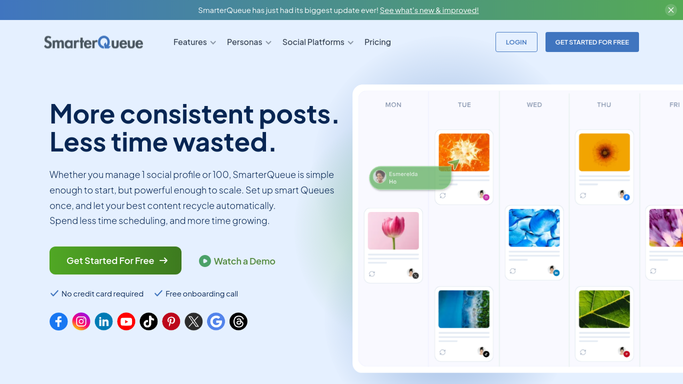
WebRun opens SmarterQueue to check remaining posts per category. - Open SmarterQueue and review each evergreen category
- Count how many posts remain queued for recycling in each
- Note which categories are your top performers
Done when Every category's remaining post count has been checked.
-
2
Airtable - log the category counts
airtable.com How to Automate Airtable

WebRun opens Airtable to log the category counts. - Open the category tracker base
- Log today's remaining count for each category
- Compare against your set minimum for each
Done when Every category's count is logged for the day.
-
3
Notion - alert when a category runs low
notion.so How to Automate Notion

WebRun opens Notion to alert when a category runs low. - Open the content alerts page in Notion
- List any category that has dropped below its minimum
- Prioritize top-performing categories at the top of the list
Done when Every category running low has been flagged in Notion.
How is each run configured?
Secure by default
Connect once, stays signed in
WebRun signs in once and keeps each session in a persistent environment, so every run picks up right where it left off.
Every action is checked against this policy before it runs.
Questions, answered
Does WebRun add new posts to a category for me?
No. It only counts what's queued and flags when a category is running low. Adding new posts to recycle is still up to you.
Why track this by category instead of overall?
Each category recycles independently in SmarterQueue, so a healthy overall count can still hide one category that's about to run dry.
Which categories get flagged first?
Your top-performing categories are listed first in the Notion alert, so the content driving the most engagement gets restocked before anything else.
Related templates
Put this on autopilot.
Turn it on in minutes - or have our team set it up for you.