Automated SimpleTexting Inbox Triage
Every hour, WebRun opens your SimpleTexting inbox, finds two-way conversations where the contact replied and nobody has answered, drafts a response on each and leaves it unsent, queues them oldest first in Airtable with the campaign and keyword that started the conversation, and logs every opt-out request in Google Drive for the record.
How do I stop inbound SMS replies from sitting unanswered?
WebRun opens your SimpleTexting inbox every hour and finds two-way conversations where the contact replied and nobody answered. It drafts an unsent response for each, queues them oldest first in Airtable, and logs opt-out requests separately in Google Drive so a person removes those contacts.
- The longest waiting conversation is always at the top of the queue
- Opt-out requests are logged and actioned, never replied to
- Every reply is drafted for a human to approve before it sends
Built for marketing teams · customer service staff · retailers · clinics and salons
What does WebRun do on every run?
The exact actions WebRun takes, in order - in plain language, so you can adjust anything.
-
WebRun signs in and gets to work
Opens
app.simpletexting.comin a real browser with your saved login - no setup, no API keys. -
1
SimpleTexting - find replies waiting on a human
simpletexting.com
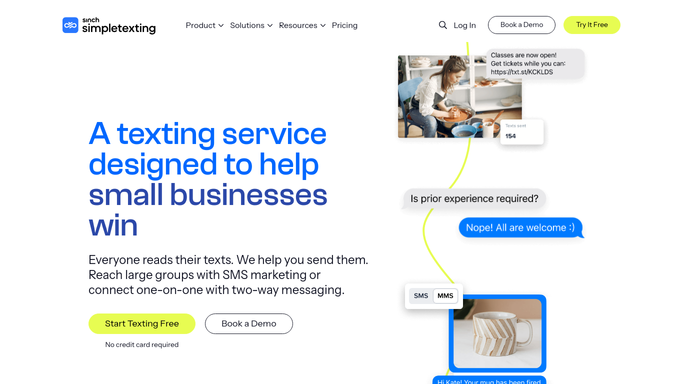
WebRun opens SimpleTexting to find replies waiting on a human. - Open your SimpleTexting inbox and read the two-way conversations
- Keep the ones where the contact sent the last message and no reply has gone back
- Note the contact, the campaign or keyword that started the conversation, and how long it has waited
- Separate messages asking to stop or unsubscribe from ordinary questions
- Draft a reply on each ordinary conversation and leave it unsent for a person to send
Done when Every waiting conversation has a drafted reply and opt-outs are set apart.
-
2
Airtable - queue the conversations oldest first
airtable.com

WebRun opens Airtable to queue the conversations oldest first. - Open the inbox queue base in Airtable
- Add each waiting conversation with the contact, the campaign, minutes waited, and the drafted reply
- Sort oldest first so the longest wait is always at the top
- Close rows for conversations someone answered since the last hourly run
Done when The Airtable queue shows every waiting conversation, longest wait first.
-
3
Google Drive - log the opt-out requests
drive.google.com

WebRun opens Google Drive to log the opt-out requests. - Open the compliance folder in Google Drive
- Log each opt-out request with the number, the exact wording, the campaign, and the time it arrived
- Flag any worded unusually, so a person confirms the contact is removed rather than answered
- Keep the log running as evidence that opt-outs were seen and actioned
Done when Every opt-out request this hour is logged for a human to action.
How is each run configured?
Secure by default
Connect once, stays signed in
WebRun signs in once and keeps each session in a persistent environment, so every run picks up right where it left off.
Every action is checked against this policy before it runs.
Questions, answered
Will it text contacts on its own?
No. WebRun drafts each reply and leaves it unsent in SimpleTexting. A person reads and sends it, so no contact ever receives a message nobody approved.
How are opt-out requests handled?
They are pulled out of the reply queue and logged in Google Drive with the exact wording and time, so a person removes the contact rather than sending them another message. Opt-outs are never answered with a drafted reply.
Does it send campaigns or change keywords?
No. It reads the inbox only. Sending campaigns, editing keywords, and removing contacts from a list all stay with your team.
Related templates
Put this on autopilot.
Turn it on in minutes - or have our team set it up for you.