Turn group chat asks into a tracked list
Every evening, WebRun opens Signal on your own device, reads the day's messages in the group you nominate, identifies the requests, decisions and commitments buried in the thread, writes one row per item into a Google Sheets tracker with who asked and who owns it, and posts the day's summary to your Microsoft Teams channel.
- No credit card
- Under $0.01 per run
- Cancel anytime
How do I stop action items getting lost in a group chat?
WebRun turns your Signal group chat into a tracked list every evening. It reads the day's messages in the group you nominate, pulls out the requests, decisions and commitments, logs one row per item in Google Sheets with the owner, and posts the summary to Microsoft Teams.
- Asks made in chat end the day in a tracker with an owner
- Nobody scrolls back through hundreds of messages to find a promise
- Open items from earlier days stay visible until they close
Built for operations teams · field crews · community managers · small business owners · volunteer coordinators
What does WebRun do on every run?
The exact actions WebRun takes, in order - in plain language, so you can adjust anything.
-
WebRun signs in and gets to work
Opens
signal.orgin a real browser with your saved login - no setup, no API keys. -
1
Signal - read today's group messages
signal.org
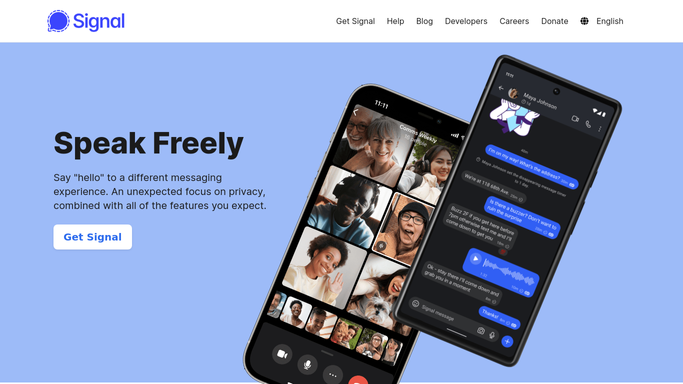
WebRun opens Signal to read today's group messages. - Open Signal on your own device and go to the group you nominated
- Read the messages posted since the last run
- Pick out requests, decisions and commitments, ignoring small talk and reactions
- Note who raised each item, who agreed to own it and any date mentioned
Done when Every actionable item from today's group messages has been captured with a person attached.
-
2
Google Sheets - log each ask and owner
google.com How to Automate Google Sheets

WebRun opens Google Sheets to log each ask and owner. - Open your team tracker in Google Sheets
- Add one row per item with the date, the ask, who raised it, the owner and any due date
- Set the status column to Open for new rows
- Skip an item that already has a row so a re-read of the thread does not duplicate it
Done when Every captured item has one row in the Google Sheets tracker.
-
3
Microsoft Teams - post the day's summary
microsoft.com How to Automate Microsoft Teams

WebRun opens Microsoft Teams to post the day's summary. - Open your team channel in Microsoft Teams
- Post the day's items grouped by owner, with any dates mentioned
- Add a short line counting items still open from previous days
- Never reply in the Signal group. WebRun reads the chat and reports, it does not join the conversation
Done when The Teams channel has tonight's summary of asks by owner.
How is each run configured?
Secure by default
Connect once, stays signed in
WebRun signs in once and keeps each session in a persistent environment, so every run picks up right where it left off.
Every action is checked against this policy before it runs.
Questions, answered
Will it send messages in Signal?
No. WebRun reads only. It never replies in the group, never starts a chat, never reacts to a message and never deletes anything, so nobody in the group sees any activity from it.
Which chats does it read?
Only the groups you nominate during setup. Every other conversation on your Signal account is left untouched, and personal or one to one chats are never read unless you name them.
Where does the content end up?
In the Google Sheets tracker and the Microsoft Teams channel you choose, and nowhere else. Nothing is emailed out, posted publicly or shared with anyone outside those two places.
Related templates
Put this on autopilot.
Turn it on in minutes - or have our team set it up for you.