Stop bounced addresses dragging down your sending
Every Monday, WebRun signs into SendPulse, reads the campaign reports from last week, pulls out the hard bounces, spam complaints and unsubscribes, works out which mailing lists are decaying fastest, logs the addresses and the rates in Airtable, and raises a Trello card with the removal batch for you to approve.
- No credit card
- Under $0.01 per run
- Cancel anytime
How do I clean bounced and unsubscribed addresses off my mailing lists?
Every Monday, WebRun signs into SendPulse, reads last week's campaign reports, and pulls out the hard bounces, spam complaints and unsubscribes. It logs the addresses and each list's rates in Airtable, then raises a Trello card with the proposed removal batch, so deliverability holds instead of sliding.
- Hard bounces are caught the week they happen, not after a block
- Decaying lists are visible before deliverability slips
- Every removal is approved by a person, because it cannot be undone
Built for email marketers · growth teams · ecommerce marketers · agencies
What does WebRun do on every run?
The exact actions WebRun takes, in order - in plain language, so you can adjust anything.
-
WebRun signs in and gets to work
Opens
login.sendpulse.comin a real browser with your saved login - no setup, no API keys. -
1
SendPulse - read last week's send results
sendpulse.com
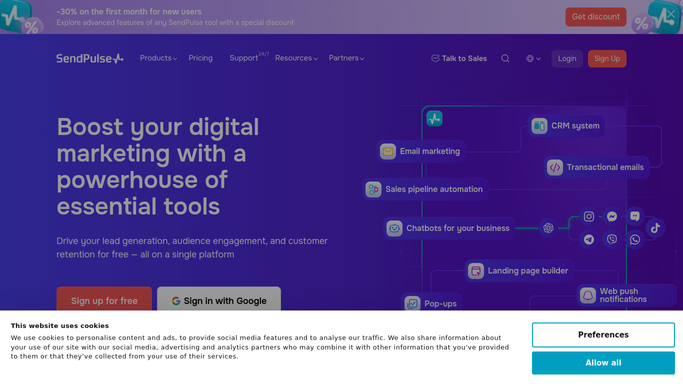
WebRun opens SendPulse to read last week's send results. - Sign into SendPulse and open the campaign reports for sends in the last seven days
- Separate hard bounces from soft bounces, since only hard bounces are worth removing outright
- Collect the spam complaints and the unsubscribes with the campaign each came from
- Work out the bounce, complaint and unsubscribe rate for every mailing list used
- Read and report only. WebRun never deletes a subscriber or edits a list on its own
Done when Last week's bounces, complaints and unsubscribes are collected per list.
-
2
Airtable - log the addresses and rates
airtable.com How to Automate Airtable

WebRun opens Airtable to log the addresses and rates. - Write each affected address into your list hygiene base in Airtable
- Record the address, the list, the campaign, and whether it bounced, complained, or unsubscribed
- Add a row per list with this week's bounce, complaint and unsubscribe rates
- Compare against previous weeks so a list decaying steadily is visible before it hurts deliverability
Done when Airtable holds this week's addresses and the rate per list.
-
3
Trello - raise the removal batch
trello.com How to Automate Trello

WebRun opens Trello to raise the removal batch. - Open one Trello card holding this week's proposed removal batch
- List the hard bounces and complaints separately, with the list each sits on
- Name the lists whose rates crossed your threshold and suggest pausing sends to them
- Leave the removal to a person. WebRun proposes the batch, you delete inside SendPulse, because a removed subscriber cannot be brought back
Done when A single Trello card holds this week's proposed cleanup for approval.
How is each run configured?
Secure by default
Connect once, stays signed in
WebRun signs in once and keeps each session in a persistent environment, so every run picks up right where it left off.
Every action is checked against this policy before it runs.
Questions, answered
Will it delete subscribers on its own?
No. A removed subscriber cannot be restored, so WebRun only proposes the batch on a Trello card. You approve and delete inside SendPulse yourself.
Will it send any campaigns?
No. This run reads campaign reports after the fact. It never creates, schedules, or sends an email, so nothing reaches your list because of it.
Why separate hard bounces from soft bounces?
Because a hard bounce means the address does not exist and should go, while a soft bounce is usually temporary. Only hard bounces and complaints enter the removal batch.
Related templates
Put this on autopilot.
Turn it on in minutes - or have our team set it up for you.