Catch content problems before a scheduled release goes live
Every morning, WebRun opens Sanity, checks for scheduled content releases going live in the next 24 hours, posts the list to Slack naming each document and its scheduled time for a final human check, and separately pings Telegram if anything scheduled still has unresolved validation errors so a broken document doesn't go live automatically.
- No credit card
- Under $0.01 per run
- Cancel anytime
What does WebRun do on every run?
The exact actions WebRun takes, in order - in plain language, so you can adjust anything.
-
WebRun signs in and gets to work
Opens
www.sanity.io/loginin a real browser with your saved login - no setup, no API keys. -
1
Sanity - check for content scheduled to release soon
sanity.io

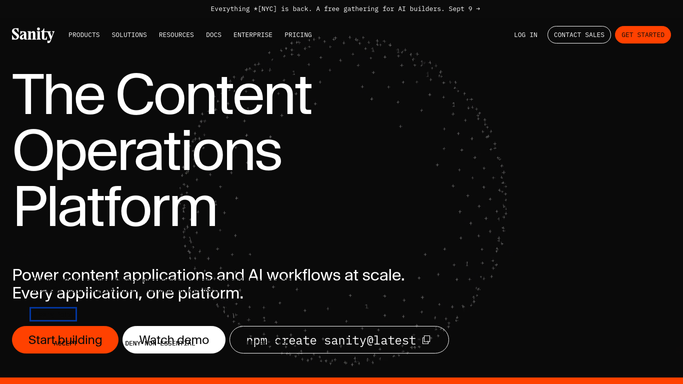
WebRun opens Sanity to check for content scheduled to release soon. - Open Sanity and list content scheduled to go live in the next 24 hours
- Capture the document, content type, and scheduled time for each
- Check each one for unresolved validation errors
Done when Every document scheduled to release in the next 24 hours is listed, with validation status noted.
-
2
Slack - post the list for a final check
slack.com How to Automate Slack
WebRun opens Slack to post the list for a final check. - Post the day's scheduled release list to the content channel
- Show the document, content type, and scheduled time for each
- Note which ones are flagged separately in Telegram
Done when The content channel has today's list of scheduled releases.
-
3
Telegram - flag anything with validation errors
telegram.org How to Automate Telegram
WebRun opens Telegram to flag anything with validation errors. - Send a separate flag for any scheduled document that still has unresolved validation errors
- Name the document and the specific error
- Skip this step when everything scheduled is valid
Done when Every scheduled document with unresolved errors has a flag in Telegram.


How do I catch problems in scheduled Sanity content before it publishes?
WebRun checks Sanity every morning for content scheduled to go live in the next 24 hours. It posts the list to Slack for a final human check, and pings Telegram separately if anything scheduled still has unresolved validation errors, so a broken document never goes live automatically. It never publishes or edits content itself.
- Every scheduled release gets a final human check before it goes live
- Validation errors get caught before the scheduled time, not after
- Nobody is surprised by broken content publishing automatically
Built for content teams · marketing teams · CMS administrators · product content teams
How is each run configured?
Secure by default
Connect once, stays signed in
WebRun signs in once and keeps each session in a persistent environment, so every run picks up right where it left off.
Every action is checked against this policy before it runs.
Questions, answered
Will it publish or fix the content itself?
No. WebRun only reads what's scheduled and checks its validation status. Publishing or fixing content is always done by the content owner in Sanity.
What counts as a validation error?
The same field validation Sanity's own studio already checks, like a required field left empty. WebRun reports what Sanity already flags.
What if nothing is scheduled that day?
The Slack post simply reports there's nothing scheduled, and no Telegram flag goes out.
Related templates
Put this on autopilot.
Turn it on in minutes - or have our team set it up for you.