Keep customers updated on every part pull without lifting the phone
Every morning, WebRun opens Checkmate, reads all open part-pull work orders grouped by status, and posts a structured digest to your Slack operations channel so the whole yard team starts the day knowing what to pull, what is ready for pickup, and what is waiting on a decision.
- No credit card
- Under $0.01 per run
- Cancel anytime
What does WebRun do on every run?
The exact actions WebRun takes, in order - in plain language, so you can adjust anything.
-
WebRun signs in and gets to work
Opens
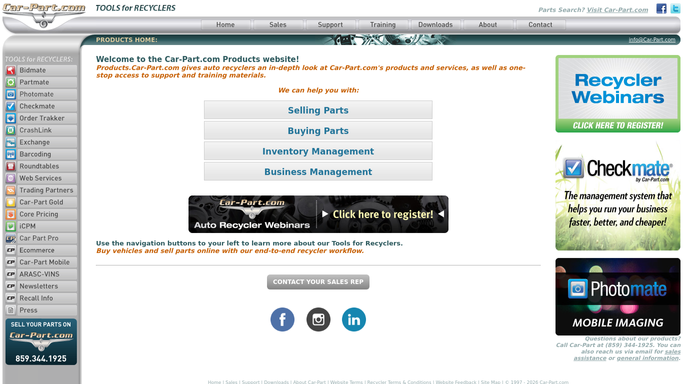
products.car-part.com/checkmatein a real browser with your saved login - no setup, no API keys. -
1
Checkmate - read open part-pull work orders by status
products.car-part.com

WebRun opens Checkmate to read open part-pull work orders by status. - Open Checkmate and navigate to open work orders filtered to part-pull status
- Group records by status: not started, in progress, ready for pickup, and on hold
- Capture the part description, location, order number, and customer name for each
Done when Every open pull request is grouped by status with its part and customer details captured.
-
2
Slack - post daily pull-status digest to ops channel
slack.com How to Automate Slack
WebRun opens Slack to post daily pull-status digest to ops channel. - Post a structured digest to the ops Slack channel grouping pulls by status
- List the oldest unstarted pulls first so the team prioritizes correctly
- Flag any pull on hold for more than 24 hours for immediate team attention
Done when The yard team has today's pull-status digest in Slack with priorities flagged.

How do I get a daily digest of open part-pull orders from Checkmate?
WebRun opens Checkmate every morning, reads all open part-pull work orders, groups them by status, and posts a structured digest to your Slack operations channel. The yard team starts every day with a clear, prioritized view of what to pull, what is ready, and what is stalled.
- Yard team starts every shift with a clear, prioritized pull list
- On-hold orders older than 24 hours are flagged automatically
- No pull order slips through the cracks while inventory sits on the shelf
Built for auto salvage yards · yard managers · dismantlers · operations supervisors
How is each run configured?
Secure by default
Connect once, stays signed in
WebRun signs in once and keeps each session in a persistent environment, so every run picks up right where it left off.
Every action is checked against this policy before it runs.
Questions, answered
Does this contact the customer about their pull status?
No. The digest is internal only, posted to your Slack ops channel so the yard team can act. Customer notifications remain under your team's control.
What counts as a flagged hold?
Any pull order that has sat in an on-hold status for more than 24 hours is highlighted in the digest so a supervisor can decide the next step.
Can it cover multiple yard locations?
Yes, as long as each location's work orders are visible inside your Checkmate installation. WebRun captures the yard location field and groups pulls accordingly.
Related templates
Put this on autopilot.
Turn it on in minutes - or have our team set it up for you.