Chase missing title and release documents so vehicles clear the yard fast
Every morning, WebRun opens Checkmate, finds all vehicles with missing title or release documents, drafts a polite follow-up email in Gmail for each seller or agent, and logs the outstanding paperwork list to a Google Sheet so your office team can track clearance progress.
- No credit card
- Under $0.01 per run
- Cancel anytime
What does WebRun do on every run?
The exact actions WebRun takes, in order - in plain language, so you can adjust anything.
-
WebRun signs in and gets to work
Opens
products.car-part.com/checkmatein a real browser with your saved login - no setup, no API keys. -
1
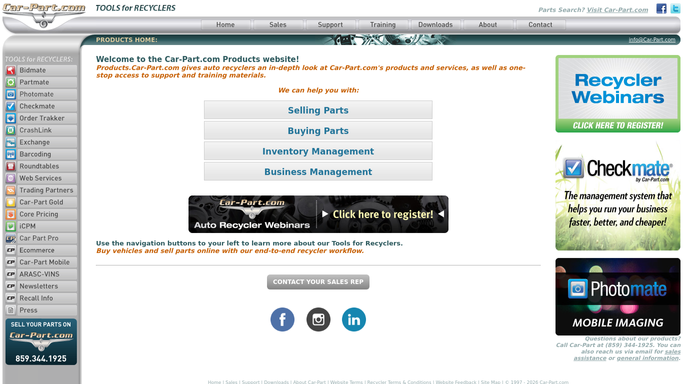
Checkmate - find vehicles with missing title or release docs
products.car-part.com

WebRun opens Checkmate to find vehicles with missing title or release docs. - Open Checkmate and filter vehicle records to those with a pending title or release document status
- Capture the vehicle VIN, year, make, model, seller name, seller contact email, and days since purchase
- Skip vehicles already followed up within the last 3 days
Done when Every vehicle with outstanding title or release documents has its seller contact and days-pending captured.
-
2
Gmail - draft follow-up email to seller or agent
gmail.com How to Automate Gmail
WebRun opens Gmail to draft follow-up email to seller or agent. - Draft a polite, professional follow-up to the seller or agent naming the vehicle VIN, make, and model
- Request the missing document and provide the yard mailing address or upload instructions
- Leave every draft unsent for office staff to review and approve before sending
Done when A follow-up email draft exists in Gmail for every vehicle with outstanding paperwork, ready for staff approval.
-
3
Google Sheets - log outstanding paperwork list
google.com How to Automate Google Sheets
WebRun opens Google Sheets to log outstanding paperwork list. - Open the document-clearance tracker sheet and update or add a row for each pending vehicle
- Log the VIN, make, model, document type, seller, days pending, and last follow-up date
- Flag vehicles pending more than 14 days with a highlight for escalation
Done when The Google Sheet is updated with every vehicle awaiting paperwork, with escalation flags for the oldest cases.


How can I automatically chase missing title documents for salvage vehicles in Checkmate?
WebRun checks Checkmate every morning for vehicles with missing titles or release documents, drafts a polite follow-up email in Gmail to each seller or agent for staff approval, and logs the full clearance list to Google Sheets with escalation flags for cases over 14 days. Paperwork bottlenecks are caught and chased every day automatically.
- Missing paperwork is chased every morning instead of falling through the cracks
- Vehicles clear faster, letting parts get listed and sold sooner
- Cases over 14 days are escalated before they create legal or compliance risk
Built for auto salvage yards · title clerks · salvage office managers · vehicle acquisition teams
How is each run configured?
Secure by default
Connect once, stays signed in
WebRun signs in once and keeps each session in a persistent environment, so every run picks up right where it left off.
Every action is checked against this policy before it runs.
Questions, answered
Will it send emails to sellers without my review?
No. Every follow-up email is drafted and left unsent in Gmail. Office staff review and approve each one before it reaches the seller or agent.
What document types does it track?
It tracks any document status flagged as pending in Checkmate, including titles, signed release forms, and any other paperwork your yard records against a vehicle.
What happens after 14 days with no document?
The vehicle is flagged in the Google Sheet for escalation so a manager can decide on next steps, such as contacting the auction house or escalating to legal.
Related templates
Put this on autopilot.
Turn it on in minutes - or have our team set it up for you.