Start every day with a clear dispatch plan for all outgoing parts shipments
Every morning, WebRun opens Checkmate and reads all orders marked for shipment today, confirms payment status in Stripe for each order, and posts a structured dispatch digest to Slack showing the shipping team every order to pick, pack, and ship, sorted by payment confirmed and time of order.
- No credit card
- Under $0.01 per run
- Cancel anytime
What does WebRun do on every run?
The exact actions WebRun takes, in order - in plain language, so you can adjust anything.
-
WebRun signs in and gets to work
Opens
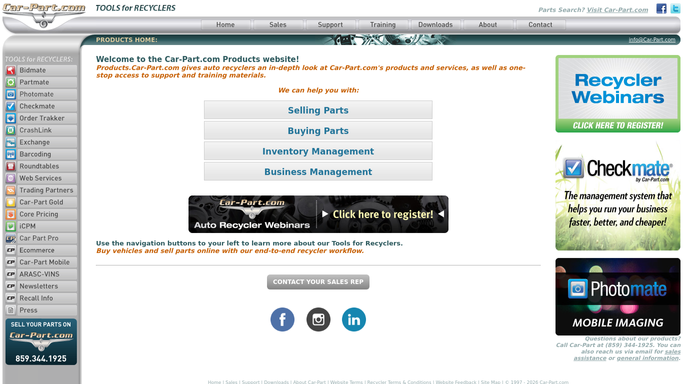
products.car-part.com/checkmatein a real browser with your saved login - no setup, no API keys. -
1
Checkmate - read orders marked for shipment today
products.car-part.com

WebRun opens Checkmate to read orders marked for shipment today. - Open Checkmate and filter work orders to those scheduled for shipment today
- Capture the order number, part description, part location in the yard, customer name, and shipping address for each
- Note the payment method and any special handling instructions per order
Done when Every order scheduled for shipment today has its part, location, customer, and payment method captured.
-
2
Stripe - confirm payment cleared for each shipment order
stripe.com How to Automate Stripe
WebRun opens Stripe to confirm payment cleared for each shipment order. - Look up each order's payment in Stripe by order reference or customer email
- Confirm the payment has settled and is not pending, disputed, or failed
- Flag any order where payment has not cleared for the team to hold before shipping
Done when Every shipment order has a confirmed payment status from Stripe.
-
3
Slack - post payment-verified dispatch digest to shipping channel
slack.com How to Automate Slack
WebRun opens Slack to post payment-verified dispatch digest to shipping channel. - Post the dispatch digest to the shipping Slack channel, leading with payment-confirmed orders
- List each order with: order number, part, yard location, customer, and shipping address
- Add a separate section for held orders where payment has not cleared, so the team knows not to ship those
Done when The shipping team has today's dispatch digest in Slack with confirmed and held orders clearly separated.


How can I automatically create a daily dispatch list from Checkmate with payment verification?
WebRun reads every order marked for shipment in Checkmate each morning, confirms payment status in Stripe for each one, and posts a structured dispatch digest to Slack. Confirmed orders are listed first with yard location and shipping address. Held orders with uncleared payments appear in a separate section so nothing ships until payment is verified.
- No part ships before payment is confirmed, eliminating unrecovered shipping losses
- The shipping team has a clear pick list in Slack before the yard opens every morning
- Held orders are separated automatically so staff know exactly which customers to call
Built for auto salvage yards · shipping and dispatch teams · yard managers · used parts dealers
How is each run configured?
Secure by default
Connect once, stays signed in
WebRun signs in once and keeps each session in a persistent environment, so every run picks up right where it left off.
Every action is checked against this policy before it runs.
Questions, answered
Will it mark orders as shipped or update tracking automatically?
No. WebRun only posts the dispatch digest to Slack. Your shipping team uses it as their pick list and updates Checkmate with tracking details after the shipment leaves.
What happens if a payment is flagged as disputed in Stripe?
Disputed orders are placed in the held section of the digest with a dispute note so the team holds the shipment and a staff member can contact the customer before the part leaves.
Does it work for both shipped and in-store pickup orders?
You can configure it to cover shipment-only orders, or to include in-store pickups in a separate section of the Slack digest, depending on your yard's needs.
Related templates
Put this on autopilot.
Turn it on in minutes - or have our team set it up for you.