Hand off new RippleMatch candidates fast
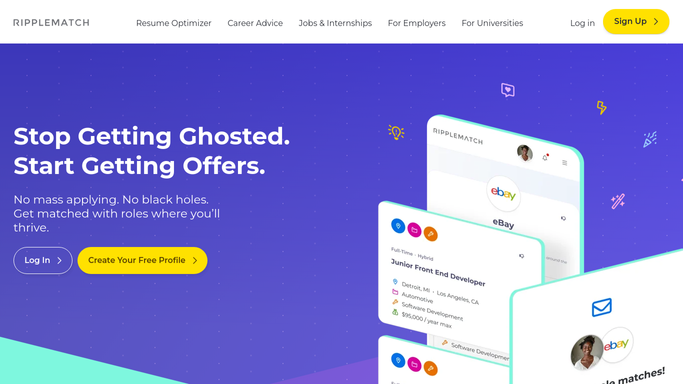
Every hour, WebRun opens RippleMatch, checks for candidates newly matched to your open roles, creates a Trello card for each one with their school, major, and resume link, and messages the recruiting coordinator on WhatsApp so the first screen gets scheduled the same day.
- No credit card
- Under $0.01 per run
- Cancel anytime
What does WebRun do on every run?
The exact actions WebRun takes, in order - in plain language, so you can adjust anything.
-
WebRun signs in and gets to work
Opens
ripplematch.comin a real browser with your saved login - no setup, no API keys. -
1
RippleMatch - find newly matched candidates
ripplematch.com

WebRun opens RippleMatch to find newly matched candidates. - Open RippleMatch and check the match queue for your open roles
- List any candidate matched since the last run
- Note their school, major, and graduation date
Done when Every newly matched candidate this run is captured with their details.
-
2
Trello - create a card per candidate
trello.com How to Automate Trello
WebRun opens Trello to create a card per candidate. - Create a card for each candidate in the New Matches list
- Attach their resume link and matched role
Done when Every new match has a card on the campus recruiting board.
-
3
WhatsApp - notify the recruiting coordinator
whatsapp.com How to Automate WhatsApp
WebRun opens WhatsApp to notify the recruiting coordinator. - Message the recruiting coordinator the candidate's name and role
- Ask them to schedule a first screen
Done when The coordinator has been notified of every new match.


How do I get notified when RippleMatch finds a new candidate?
WebRun checks RippleMatch every hour for candidates newly matched to your open roles, creates a Trello card per candidate with their school and resume link, and messages the recruiting coordinator on WhatsApp to schedule a first screen. It never contacts the candidate itself, so outreach always stays a decision your team makes.
- New candidate matches reach the coordinator within the hour
- Every match has a Trello card instead of sitting in an inbox
- First screens get scheduled the same day a match appears
Built for campus recruiters · early career program managers · university relations teams · People teams at large employers
How is each run configured?
Secure by default
Connect once, stays signed in
WebRun signs in once and keeps each session in a persistent environment, so every run picks up right where it left off.
Every action is checked against this policy before it runs.
Questions, answered
Does WebRun reach out to the candidate on RippleMatch?
No. It only creates the Trello card and notifies your coordinator. Messaging the candidate stays a manual step your team takes.
How fresh are the matches it checks?
It checks every hour during business hours, so a new match usually reaches your coordinator within the hour it appears.
Can it cover more than one open role at once?
Yes. Every open role you connect gets its own matches routed to the same Trello board and WhatsApp alert.
Related templates
Put this on autopilot.
Turn it on in minutes - or have our team set it up for you.