Chase stale Remotive applicants before they cool off
Every morning, WebRun opens your Remotive employer dashboard, checks every applicant against how long they have sat in review, messages the hiring manager on WhatsApp for anyone stuck more than 7 days, and blocks a follow up slot on Google Calendar so the review actually happens.
- No credit card
- Under $0.01 per run
- Cancel anytime
What does WebRun do on every run?
The exact actions WebRun takes, in order - in plain language, so you can adjust anything.
-
WebRun signs in and gets to work
Opens
remotive.comin a real browser with your saved login - no setup, no API keys. -
1
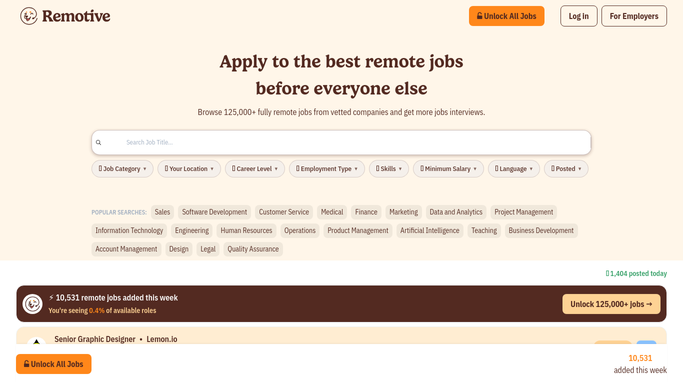
Remotive - find applicants stuck in review
remotive.com

WebRun opens Remotive to find applicants stuck in review. - Open your Remotive employer dashboard and check each applicant's stage
- List anyone unchanged in review for more than 7 days
- Note their applied role and days waiting
Done when Every stale applicant is listed with their role and wait time.
-
2
WhatsApp - message the hiring manager
whatsapp.com How to Automate WhatsApp
WebRun opens WhatsApp to message the hiring manager. - Message the hiring manager the list of stale applicants
- Flag whoever has waited longest first
Done when The hiring manager has been messaged about every stale applicant.
-
3
Google Calendar - block a follow up slot
calendar.google.com How to Automate Google Calendar
WebRun opens Google Calendar to block a follow up slot. - Block a 30 minute review slot for the hiring manager
- Title it with the number of applicants waiting
Done when A follow up slot exists on the calendar for this week's stale applicants.


How do I stop applicants from going stale in Remotive?
WebRun checks Remotive every morning for applicants stuck in review for more than 7 days, messages the hiring manager on WhatsApp with the list, and blocks a follow up slot on Google Calendar so the review actually happens. It never contacts the applicant itself, so any update to a candidate stays a decision your team makes.
- Stale applicants get reviewed within the week instead of forgotten
- Hiring managers get a dedicated slot instead of squeezing it in
- No applicant sits in review without someone noticing
Built for remote-first hiring managers · People teams · recruiting coordinators · startup founders
How is each run configured?
Secure by default
Connect once, stays signed in
WebRun signs in once and keeps each session in a persistent environment, so every run picks up right where it left off.
Every action is checked against this policy before it runs.
Questions, answered
Does WebRun message the applicant to update them?
No. It only messages your hiring manager. Reaching out to update an applicant always stays a manual step your team takes from Remotive.
What counts as a stale applicant?
Anyone who has sat in the same review stage for more than 7 days without an update, so the alert only fires when a real delay is building up.
Why block calendar time instead of just sending a message?
A message alone is easy to skim past. A blocked slot makes sure the stale applicants actually get reviewed, not just seen.
Related templates
Put this on autopilot.
Turn it on in minutes - or have our team set it up for you.