Report your studio's time utilization every week
Every Monday, WebRun pulls every completed session from the past 7 days out of Studio Hero, calculates booked hours, idle hours, and busiest days per room and engineer in Google Sheets, and posts a short utilization summary to Telegram.
- No credit card
- Under $0.01 per run
- Cancel anytime
What does WebRun do on every run?
The exact actions WebRun takes, in order - in plain language, so you can adjust anything.
-
WebRun signs in and gets to work
Opens
thestudiohero.comin a real browser with your saved login - no setup, no API keys. -
1
Studio Hero - pull the week's session logs
thestudiohero.com How to Automate Studio Hero

WebRun opens Studio Hero to pull the week's session logs. - Open Studio Hero and pull every completed session from the past 7 days
- Capture the room, engineer, booked hours, and session type for each
- Include cancellations and no shows separately from completed sessions
Done when Every session from the past week is captured with its room and engineer.
-
2
Google Sheets - calculate room and engineer utilization
google.com How to Automate Google Sheets
WebRun opens Google Sheets to calculate room and engineer utilization. - Calculate booked hours and idle hours per room and per engineer
- Rank days of the week by total hours booked
- Update the running utilization report with this week's numbers
Done when The utilization report reflects this week's booked and idle hours by room and engineer.
-
3
Telegram - send the weekly summary
telegram.org How to Automate Telegram
WebRun opens Telegram to send the weekly summary. - Post a short summary with the top line utilization percentage per room
- Flag the room or engineer with the most idle time
- Link to the full Google Sheets report
Done when The studio owner has this week's utilization summary in Telegram.
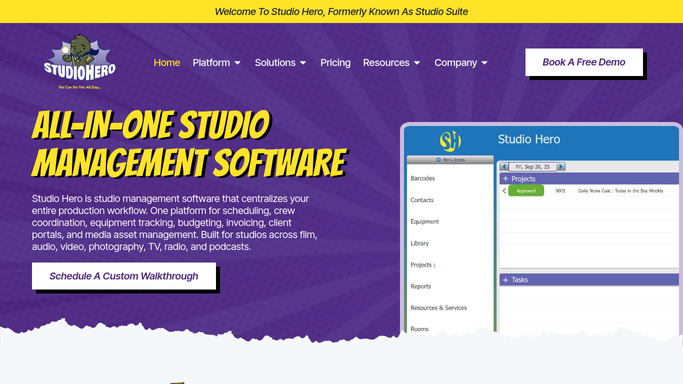


How do I see how much studio time each room and engineer is using?
Every Monday, WebRun pulls the past week's sessions from Studio Hero, calculates booked hours, idle hours, and busiest days per room and engineer, and posts the report to Google Sheets with a summary in Telegram. It's an internal report only, so it posts automatically with no client data leaving the studio at any point.
- A clear weekly view of which rooms sit idle
- Engineer workload visible without pulling a manual report
- Busiest days flagged so staffing matches demand
Built for recording studios · studio owners · studio managers · multi room facilities
How is each run configured?
Secure by default
Connect once, stays signed in
WebRun signs in once and keeps each session in a persistent environment, so every run picks up right where it left off.
Every action is checked against this policy before it runs.
Questions, answered
Does this report include cancelled or no show sessions?
It tracks them separately from completed sessions, so your utilization percentage reflects time actually used, not just time booked.
Is any client data shared outside the studio?
No. It's an internal report of room and engineer hours only, posted to your own Google Sheets and Telegram, so it can post automatically without any customer facing risk.
How far back does each report look?
Each weekly run covers the past 7 days, so you get a rolling view of utilization rather than a single all-time number.
Related templates
Put this on autopilot.
Turn it on in minutes - or have our team set it up for you.