Draft rate quotes for new session inquiries
Every time a new booking inquiry lands in Studio Hero, WebRun looks up the requested session type and room on your Google Sheets rate card, calculates the total for the requested hours, and drafts a priced quote email in Gmail for your team to review.
- No credit card
- Under $0.01 per run
- Cancel anytime
What does WebRun do on every run?
The exact actions WebRun takes, in order - in plain language, so you can adjust anything.
-
WebRun signs in and gets to work
Opens
thestudiohero.comin a real browser with your saved login - no setup, no API keys. -
1
Studio Hero - find new booking inquiries
thestudiohero.com How to Automate Studio Hero

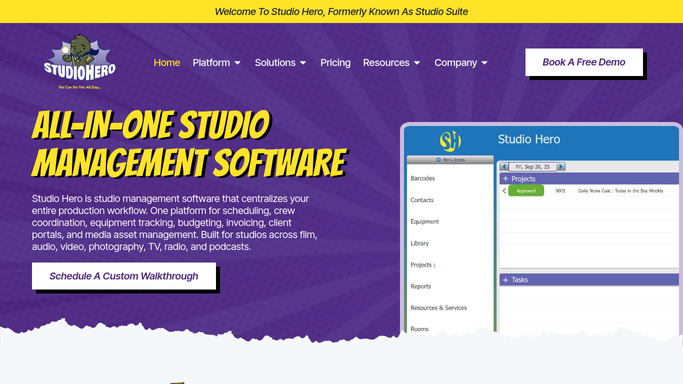
WebRun opens Studio Hero to find new booking inquiries. - Open Studio Hero and check for new booking inquiries submitted since the last run
- Capture the requested session type, room, engineer preference, and hours
- Note any special requests attached to the inquiry
Done when Every new inquiry this run is captured with what the client asked for.
-
2
Google Sheets - check the current rate card
google.com How to Automate Google Sheets
WebRun opens Google Sheets to check the current rate card. - Look up the current rate for the requested session type and room on the rate card
- Apply any block or off peak pricing that matches the request
- Calculate the total for the requested hours
Done when A correct, current price is calculated for every new inquiry.
-
3
Gmail - draft the priced quote
gmail.com How to Automate Gmail
WebRun opens Gmail to draft the priced quote. - Draft a quote email with the price breakdown and available time slots
- Match the tone to your last few sent quotes
- Leave the email as a draft in Gmail. Do not send it
Done when A priced quote draft is waiting in Gmail for every new inquiry.


How do I send a rate quote to a new booking inquiry fast?
WebRun reads each new booking inquiry in Studio Hero, checks your current rate card in Google Sheets for the session type and room requested, and drafts a priced quote email in Gmail. The draft waits for your review before sending, so every quote reflects your real rates without a wrong price ever going out.
- New inquiries get a priced quote within minutes
- Every quote matches your current rate card exactly
- Fewer inquiries go cold waiting on a reply
Built for recording studios · studio managers · booking coordinators · freelance engineers
How is each run configured?
Secure by default
Connect once, stays signed in
WebRun signs in once and keeps each session in a persistent environment, so every run picks up right where it left off.
Every action is checked against this policy before it runs.
Questions, answered
Will a quote go out to a prospective client automatically?
No. WebRun drafts every quote in Gmail and leaves it unsent, so your team reviews the price and tone before it reaches anyone.
How does it make sure the price is right?
It reads the live rate card in Google Sheets on every run, so a quote always reflects your current rates, not an outdated price.
How fast does a new inquiry get a draft?
Within minutes of the inquiry form being submitted, so a prospective client's first impression of your response time is a fast one.
Related templates
Put this on autopilot.
Turn it on in minutes - or have our team set it up for you.