Prepare R&D tax credit study summary statements for client delivery
Every morning, WebRun opens Neo.Tax and finds studies that have reached final review status. For each, it pulls the total credit amount, qualifying expense breakdown, and payroll-offset election details, logs them in Google Sheets, drafts a structured client summary email, and notifies the manager in Slack that a statement is ready for their review and delivery.
- No credit card
- Under $0.01 per run
- Cancel anytime
What does WebRun do on every run?
The exact actions WebRun takes, in order - in plain language, so you can adjust anything.
-
WebRun signs in and gets to work
Opens
app.neo.taxin a real browser with your saved login - no setup, no API keys. -
1
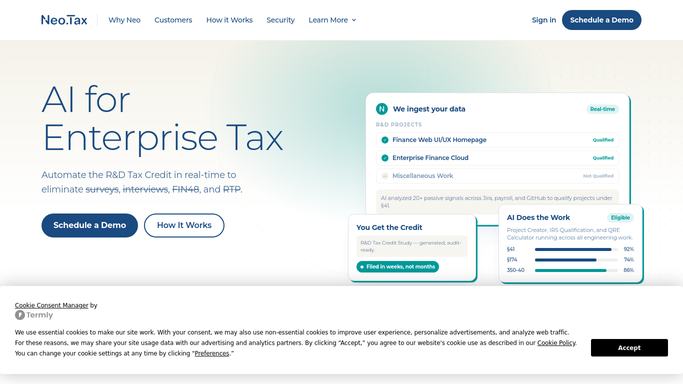
Neo.Tax - find studies at final review status
neo.tax How to Automate Neo.Tax

WebRun opens Neo.Tax to find studies at final review status. - Open Neo.Tax and filter engagements to those in final review or approved status
- For each study, capture the total credit amount, QRE breakdown by category, payroll-tax-offset election amount, and any audit-support documentation generated
- Note the client contact and assigned engagement manager
Done when All studies at final review stage have their credit summary details captured.
-
2
Google Sheets - log credit summary details
google.com How to Automate Google Sheets
WebRun opens Google Sheets to log credit summary details. - Open the client statement log Google Sheet
- Add a row for each study with the client name, credit total, QRE breakdown, and offset election amount
- Mark the row as 'Statement pending' to track delivery status
Done when Each completed study's credit details are logged and flagged as pending delivery.
-
3
Gmail - draft client statement email for review
gmail.com How to Automate Gmail
WebRun opens Gmail to draft client statement email for review. - Draft a structured client statement email for each completed study, including the total credit amount, key QRE categories, and the payroll-offset election if applicable
- Leave each email as a Gmail draft addressed to the client contact and assigned to the engagement manager
- Do not send any statement to a client without manager approval
Done when A draft statement email is staged in Gmail for each completed study.
-
4
Slack - notify manager a statement is ready
slack.com How to Automate Slack
WebRun opens Slack to notify manager a statement is ready. - Post a Slack notification to the engagement manager for each newly drafted statement
- Include the client name, credit amount, and a note that the Gmail draft is ready for review and delivery
Done when The manager has a Slack notification for every statement draft ready for review.



How do I automatically draft R&D tax credit summary statements for client delivery?
Every morning, WebRun checks Neo.Tax for studies that have reached final review. It logs each credit summary in Google Sheets, drafts a structured client statement email with the total credit amount and QRE breakdown, stages it in Gmail for manager review, and sends a Slack notification so no completed study waits days for its delivery email.
- Completed R&D studies are turned into client statement drafts the same morning they finish
- Managers get a Slack alert instead of manually monitoring Neo.Tax for study completions
- No credit amount reaches a client before the engagement manager reviews and approves the email
Built for R&D tax credit firms · CPA practices · tax advisory teams · accounting firm client managers
How is each run configured?
Secure by default
Connect once, stays signed in
WebRun signs in once and keeps each session in a persistent environment, so every run picks up right where it left off.
Every action is checked against this policy before it runs.
Questions, answered
Will it send the credit statement to the client automatically?
No. Every client statement email is drafted in Gmail and held for the engagement manager to review, adjust if needed, and send. Nothing is delivered to a client without explicit approval.
What credit details does it include in the statement draft?
The draft includes the total R&D credit amount, a breakdown of qualified research expenses by category (wages, supplies, contract research), and the payroll-tax-offset election amount if applicable.
What if the credit amount changes after the draft is created?
WebRun reads the live figures from Neo.Tax each morning, so if a study's numbers are updated before the manager sends the draft, the manager should delete the old draft and trigger a fresh run to get the updated statement.
Related templates
Put this on autopilot.
Turn it on in minutes - or have our team set it up for you.