Track R&D tax credit study renewal dates before they expire
Every Monday, WebRun opens Neo.Tax and identifies client engagements whose current-year R&D study needs to be renewed or initiated for the upcoming tax year. It adds renewal milestones to Google Calendar, drafts a renewal proposal email to each client for manager review, and posts a Slack digest of upcoming renewal windows so no engagement lapses.
- No credit card
- Under $0.01 per run
- Cancel anytime
What does WebRun do on every run?
The exact actions WebRun takes, in order - in plain language, so you can adjust anything.
-
WebRun signs in and gets to work
Opens
app.neo.taxin a real browser with your saved login - no setup, no API keys. -
1
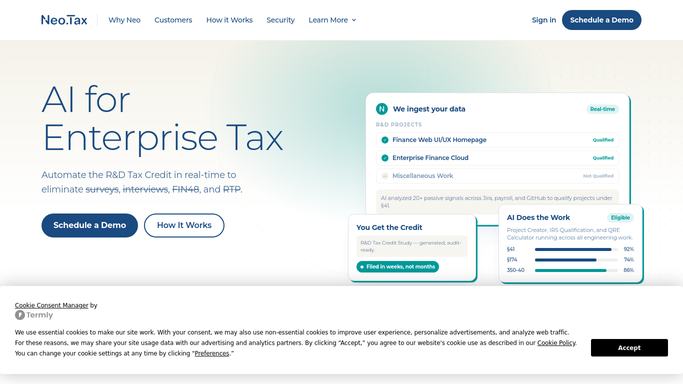
Neo.Tax - find engagements due for renewal
neo.tax How to Automate Neo.Tax

WebRun opens Neo.Tax to find engagements due for renewal. - Open Neo.Tax and review all completed or in-progress engagements
- Identify clients whose most recent study covers a tax year ending within the next 90 days
- Capture the client name, last tax year covered, engagement manager, and whether a new-year study has already been initiated
Done when Every engagement approaching its renewal window is identified with its details.
-
2
Google Calendar - add renewal milestones
calendar.google.com How to Automate Google Calendar
WebRun opens Google Calendar to add renewal milestones. - Open the R&D renewals Google Calendar
- Add or confirm a renewal milestone event 60 days before the next tax year end for each client
- Include the client name, last study year, and assigned manager in the event description
Done when Renewal milestones are on the shared calendar for every approaching window.
-
3
Gmail - draft renewal proposal emails for review
gmail.com How to Automate Gmail
WebRun opens Gmail to draft renewal proposal emails for review. - Draft a renewal proposal email to each client contact, referencing their prior-year credit and proposing a new engagement for the upcoming tax year
- Leave every email as a Gmail draft for the engagement manager to review and personalize before sending
- Do not send any renewal email without manager approval
Done when A draft renewal proposal email is staged in Gmail for each client due for renewal.
-
4
Slack - alert managers to upcoming renewal windows
slack.com How to Automate Slack
WebRun opens Slack to alert managers to upcoming renewal windows. - Post the weekly renewal digest to the internal Slack channel listing all clients with renewal windows in the next 90 days
- Include the days remaining in each window and the assigned manager
- Flag any client whose renewal window opens in less than 30 days
Done when Managers have this week's renewal window digest in Slack.



How do I automatically track and manage R&D tax credit study renewals for existing clients?
Every Monday, WebRun reviews Neo.Tax for client engagements approaching their annual renewal window. It adds milestones to Google Calendar, stages a draft renewal proposal email per client in Gmail for manager review, and posts a 90-day renewal digest to Slack so no client lapses into an uncovered tax year without a timely conversation.
- No client falls into an uncovered tax year without a renewal conversation
- Renewal proposals are drafted and ready to send in one click, never sent without approval
- Managers see every upcoming renewal window in one weekly Slack digest
Built for R&D tax credit firms · CPA practices · tax advisory partners · accounting firm client managers
How is each run configured?
Secure by default
Connect once, stays signed in
WebRun signs in once and keeps each session in a persistent environment, so every run picks up right where it left off.
Every action is checked against this policy before it runs.
Questions, answered
Will it send the renewal proposal to clients automatically?
No. Every renewal proposal is drafted in Gmail and held for the engagement manager to review, personalize, and send. Nothing goes to a client without explicit approval.
How far in advance does it start tracking renewals?
WebRun flags engagements 90 days before the next tax year end, so managers have time to propose a new study before the client's qualifying activities for the year are complete.
What if a client has already started a new-year engagement in Neo.Tax?
WebRun checks whether a new study is already underway in Neo.Tax and removes those clients from the renewal list automatically, so you only see clients who genuinely need follow-up.
Related templates
Put this on autopilot.
Turn it on in minutes - or have our team set it up for you.