Flag anomalies in R&D tax credit QRE calculations before they cause filing errors
Every morning, WebRun opens Neo.Tax and reviews QRE calculations across active engagements for anomalies: wage allocations above a configured percentage, supply or contractor expense categories with zero entries despite prior-year amounts, and total credits that differ from the prior-year amount by more than 50 percent. It logs every anomaly in Google Sheets and posts a flagged digest to Slack for the QC team to investigate before filing.
- No credit card
- Under $0.01 per run
- Cancel anytime
What does WebRun do on every run?
The exact actions WebRun takes, in order - in plain language, so you can adjust anything.
-
WebRun signs in and gets to work
Opens
app.neo.taxin a real browser with your saved login - no setup, no API keys. -
1
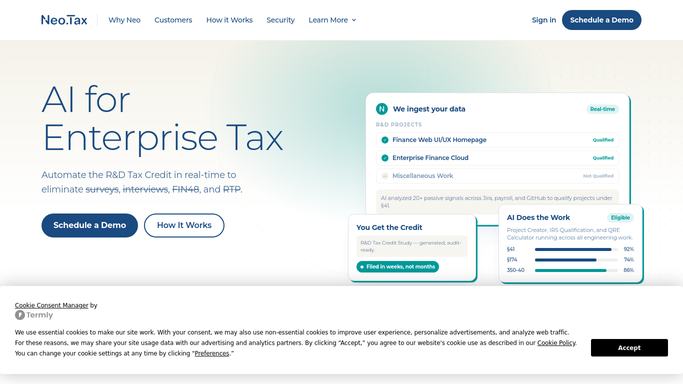
Neo.Tax - scan QRE calculations for anomalies
neo.tax How to Automate Neo.Tax

WebRun opens Neo.Tax to scan QRE calculations for anomalies. - Open Neo.Tax and navigate to active engagements with completed or in-progress QRE calculations
- Check each calculation for wage allocation percentages above 90 percent of total payroll
- Flag supply or contractor expense categories with a zero entry where the prior year had a non-zero amount
- Flag any total credit amount that differs from the prior tax year by more than 50 percent without a documented reason
Done when All QRE anomalies across active engagements have been identified and recorded.
-
2
Google Sheets - log flagged anomalies for QC review
google.com How to Automate Google Sheets
WebRun opens Google Sheets to log flagged anomalies for QC review. - Open the QRE anomaly log Google Sheet
- Append a row for each anomaly with the client name, engagement ID, anomaly type, the flagged figure, and the comparison benchmark
- Mark each row with today's date and a status of 'Open' for the QC team to action
Done when All anomalies are logged in the QC sheet with details for investigation.
-
3
Slack - post daily anomaly digest to QC team
slack.com How to Automate Slack
WebRun opens Slack to post daily anomaly digest to QC team. - Post the daily anomaly digest to the QC Slack channel
- List each flagged engagement with the anomaly type and the specific figure that triggered the flag
- Include a count of open anomalies and a link to the full QC log
Done when The QC team has today's anomaly digest in Slack with all flags identified.


How do I automatically flag QRE calculation anomalies in Neo.Tax before filing?
Every morning, WebRun scans active Neo.Tax QRE calculations for anomalies: wage allocations above 90 percent of payroll, zero entries in categories that had amounts last year, and credit totals that changed by more than 50 percent versus the prior year. Every flag is logged in a Google Sheets QC log and posted to Slack so your team can investigate before any return is filed.
- Calculation anomalies are caught the morning they appear, before any return is prepared
- QC teams see a ranked flag list in Slack instead of manually spot-checking Neo.Tax
- Flagged items are tracked in Google Sheets with open or closed status for full audit trail
Built for R&D tax credit firms · CPA practices · tax QC teams · R&D study reviewers
How is each run configured?
Secure by default
Connect once, stays signed in
WebRun signs in once and keeps each session in a persistent environment, so every run picks up right where it left off.
Every action is checked against this policy before it runs.
Questions, answered
Does it change any figures in Neo.Tax or file anything?
No. WebRun only reads Neo.Tax to identify unusual figures and logs them for your QC team. No calculation is changed in Neo.Tax and nothing is submitted to any tax authority.
What anomaly thresholds does it use?
The defaults are: wage allocation above 90 percent of total payroll, any supply or contractor category with a zero entry where prior year was non-zero, and a total credit change of more than 50 percent versus prior year. All thresholds are configurable.
What if an anomaly is legitimate, such as a startup with no prior-year credit?
Your QC team reviews and closes each flagged row in the Google Sheets log. Closed items do not re-appear in future digests unless a new anomaly of the same type is detected.
Related templates
Put this on autopilot.
Turn it on in minutes - or have our team set it up for you.