Check a new client's VAT and Making Tax Digital setup
When you add a new client in QuickFile, WebRun checks their VAT scheme and Making Tax Digital settings are configured, holds a calendar reminder for anything outstanding, and posts the checklist to Microsoft Teams.
- No credit card
- Under $0.01 per run
- Cancel anytime
How do I make sure new QuickFile clients have VAT and MTD set up?
WebRun checks each new QuickFile client's VAT scheme and Making Tax Digital connection as soon as they're added, and posts the checklist to Microsoft Teams. While anything is still outstanding, it holds a calendar reminder ahead of their first VAT period close, so a new client never reaches their filing deadline with an incomplete setup.
- Incomplete VAT or MTD setup is caught before the first filing deadline
- The team sees one checklist instead of checking QuickFile client by client
- Reminders clear automatically once setup is complete
Built for accounting practices · bookkeepers · UK small businesses · practice managers
What does WebRun do on every run?
The exact actions WebRun takes, in order - in plain language, so you can adjust anything.
-
WebRun signs in and gets to work
Opens
quickfile.co.ukin a real browser with your saved login - no setup, no API keys. -
1
QuickFile - check the new client's VAT and MTD setup
quickfile.co.uk
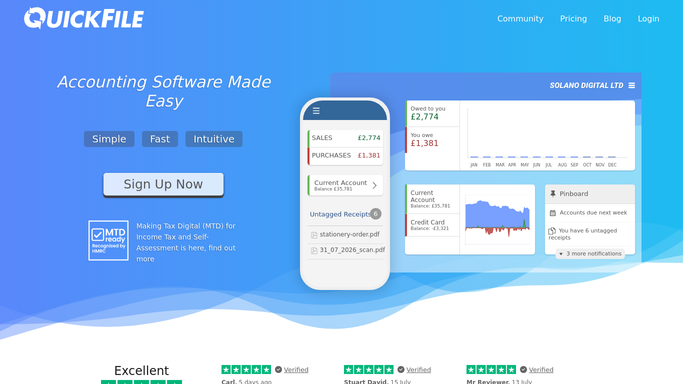
WebRun opens QuickFile to check the new client's VAT and MTD setup. - Open the new client's QuickFile account
- Check their VAT scheme and Making Tax Digital connection are set up
- Note any step still outstanding
Done when Every VAT and MTD setup item for the new client has a clear status.
-
2
Google Calendar - hold a calendar reminder for anything outstanding
calendar.google.com How to Automate Google Calendar

WebRun opens Google Calendar to hold a calendar reminder for anything outstanding. - Hold a reminder before the client's first VAT period closes if setup is still outstanding
- Include which step is missing
- Clear the hold once setup shows complete
Done when A reminder exists only while setup remains outstanding.
-
3
Microsoft Teams - post the checklist to Teams
microsoft.com How to Automate Microsoft Teams

WebRun opens Microsoft Teams to post the checklist to Teams. - Post the checklist with each item marked done or outstanding
- Include the client name
- Keep it to a few lines
Done when The team has the new client's VAT and MTD setup checklist.
How is each run configured?
Secure by default
Connect once, stays signed in
WebRun signs in once and keeps each session in a persistent environment, so every run picks up right where it left off.
Every action is checked against this policy before it runs.
Questions, answered
Does it complete the VAT or MTD setup for the client?
No. It only checks what's already configured in QuickFile and reports gaps. Completing VAT scheme or MTD setup is still done inside QuickFile.
When does the calendar reminder clear?
As soon as QuickFile shows the setup complete, so you're not holding a reminder for something already finished.
Does this file the VAT return?
No. It only checks that the scheme and Making Tax Digital connection are set up, not the return itself.
Related templates
Put this on autopilot.
Turn it on in minutes - or have our team set it up for you.