Automated PyPI Project Metadata Checks
Every Monday, WebRun opens PyPI, reads the public project page for each package you publish, checks the description, project links, license field and classifiers, posts the fix list to Microsoft Teams, and sends the headline count to Telegram.
How do I check that my PyPI package pages are complete?
Every Monday, WebRun signs into PyPI and reads the public page of every package you publish, checking the description, project links, license field and classifiers. It opens each link to catch dead ones, posts a ranked fix list to Microsoft Teams, and sends the headline count to Telegram.
- No published package looks abandoned to a first-time visitor
- Dead homepage and repository links are caught within a week
- Maintainers get the exact field to fix, not a vague warning
Built for Python maintainers · open source teams · platform engineers · developer relations
What does WebRun do on every run?
The exact actions WebRun takes, in order - in plain language, so you can adjust anything.
-
WebRun signs in and gets to work
Opens
pypi.org/account/loginin a real browser with your saved login - no setup, no API keys. -
1
PyPI - read every project page
pypi.org
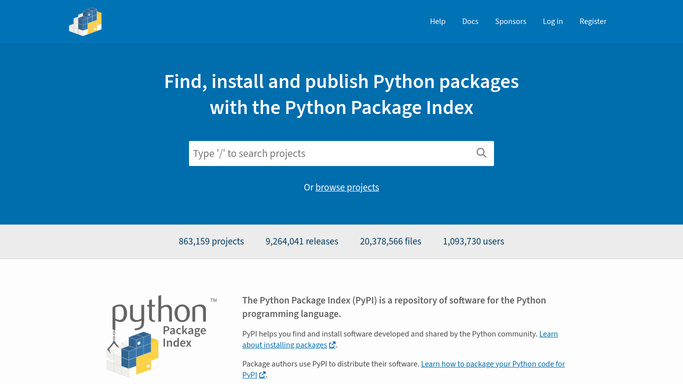
WebRun opens PyPI to read every project page. - Open PyPI and list the projects published under your account
- For each project, read the public page: description, project links, license field and classifiers
- Open each project link and note any that return an error or redirect somewhere unrelated
- Compare the latest release date and version against what the classifiers claim
Done when Every project has been checked and its gaps recorded.
-
2
Microsoft Teams - post the fix list
microsoft.com

WebRun opens Microsoft Teams to post the fix list. - Post one message listing each project with a gap and the exact field to fix
- Put projects with no description or a dead homepage link at the top
- Name the missing license and stale classifiers underneath, so the fix takes one commit
- Leave the message for a maintainer to action. WebRun never edits a project page itself
Done when The team has this week's ranked fix list in Teams.
-
3
Telegram - send the headline count
telegram.org

WebRun opens Telegram to send the headline count. - Send a one-line summary: how many projects were checked and how many have gaps
- Name the worst offender so it is visible without opening Teams
Done when The headline count is in Telegram.
How is each run configured?
Secure by default
Connect once, stays signed in
WebRun signs in once and keeps each session in a persistent environment, so every run picks up right where it left off.
Every action is checked against this policy before it runs.
Questions, answered
Will it change my project pages?
No. WebRun only reads your PyPI project pages and reports the gaps. It never edits metadata, uploads a release, or deletes anything. Every fix is made by a maintainer in your own repo.
What counts as a gap?
A missing or empty description, a project link that errors or redirects elsewhere, an unset license field, and classifiers that no longer match the versions you actually support.
Does it work for packages I only co-maintain?
Yes. It checks every project listed under your PyPI account, including ones you share, because the public page looks the same to a visitor either way.
Related templates
Put this on autopilot.
Turn it on in minutes - or have our team set it up for you.