Catch unanswered Pumble mentions before they go stale
Every hour, WebRun checks Pumble channels for mentions and questions left unanswered for more than two hours, posts an alert to Microsoft Teams so the right person sees it, and books a quick sync on Google Calendar if the same question keeps stalling.
- No credit card
- Under $0.01 per run
- Cancel anytime
How do I catch unanswered mentions in Pumble before they go stale?
WebRun scans your Pumble channels every hour for mentions and questions left unanswered for more than two hours, posting an alert in Microsoft Teams and tagging whoever owes a reply. If the same question is still stuck after a full day, it books a quick sync on Google Calendar, so nothing important quietly falls through a busy channel.
- Unanswered mentions get flagged within the hour
- Stalled questions get a real meeting instead of staying stuck
- Nobody has to scroll back through channels hunting for gaps
Built for Team leads · Customer facing teams · Remote teams · Small to mid size companies
What does WebRun do on every run?
The exact actions WebRun takes, in order - in plain language, so you can adjust anything.
-
WebRun signs in and gets to work
Opens
pumble.com/loginin a real browser with your saved login - no setup, no API keys. -
1
Pumble - find unanswered mentions
pumble.com
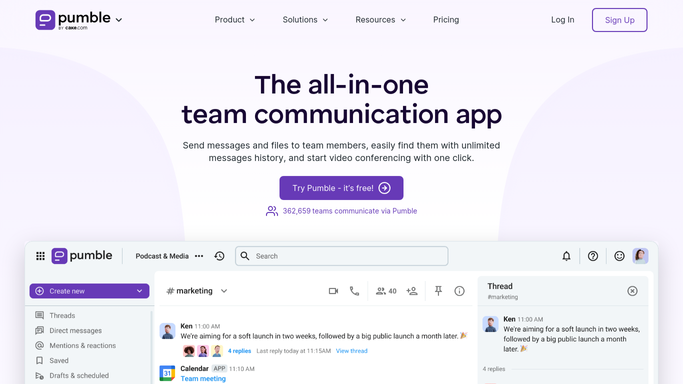
WebRun opens Pumble to find unanswered mentions. - Open Pumble and scan channels for mentions and direct questions
- Find any left unanswered for more than two hours
- Note who was asked and by whom
Done when Every mention older than two hours with no reply is listed.
-
2
Microsoft Teams - post the alert
microsoft.com How to Automate Microsoft Teams

WebRun opens Microsoft Teams to post the alert. - Open the linked Teams channel
- Post an alert naming the unanswered mention and who owes a reply
- Tag the person responsible
Done when An alert has been posted for every unanswered mention.
-
3
Google Calendar - book a sync if needed
calendar.google.com How to Automate Google Calendar

WebRun opens Google Calendar to book a sync if needed. - Check if the same question has stalled for more than a day
- If so, book a 15 minute sync between the asker and the owner
- Skip booking anything for mentions answered in time
Done when A sync is booked for any mention still unanswered after a day.
How is each run configured?
Secure by default
Connect once, stays signed in
WebRun signs in once and keeps each session in a persistent environment, so every run picks up right where it left off.
Every action is checked against this policy before it runs.
Questions, answered
Does WebRun answer the question itself?
No. It only flags the unanswered mention and tags the person responsible. The actual reply is still written by a person.
When does it book a meeting?
Only if the same mention is still unanswered after a full day. Most flagged mentions just get an alert, not a booked sync.
Will I get an alert for every mention?
No. It only alerts on mentions unanswered for more than two hours, not routine chat that gets a quick reply.
Related templates
Put this on autopilot.
Turn it on in minutes - or have our team set it up for you.