Keep the workspace tidy by retiring channels nobody uses
Every Monday, WebRun opens Pumble, walks the channel list for last message date, member count, description and pinned messages, writes a ranked archive shortlist into Notion, and opens a Trello card for every channel that still has a purpose but no owner.
- No credit card
- Under $0.01 per run
- Cancel anytime
How do I find and retire the Pumble channels nobody uses?
WebRun audits your Pumble workspace every Monday. It walks the channel directory reading last message dates, member counts, descriptions and pinned messages, writes a ranked archive shortlist into Notion, and opens a Trello card for every channel that is still busy but has no owner. Archiving stays your decision.
- New joiners see a short live channel list instead of hundreds of dead ones
- Every busy channel ends up with a named owner
- The archive decision is reviewed weekly instead of once a year
Built for workspace admins · IT operations · internal comms teams · remote-first companies
What does WebRun do on every run?
The exact actions WebRun takes, in order - in plain language, so you can adjust anything.
-
WebRun signs in and gets to work
Opens
pumble.com/loginin a real browser with your saved login - no setup, no API keys. -
1
Pumble - review every channel for signs of life
pumble.com
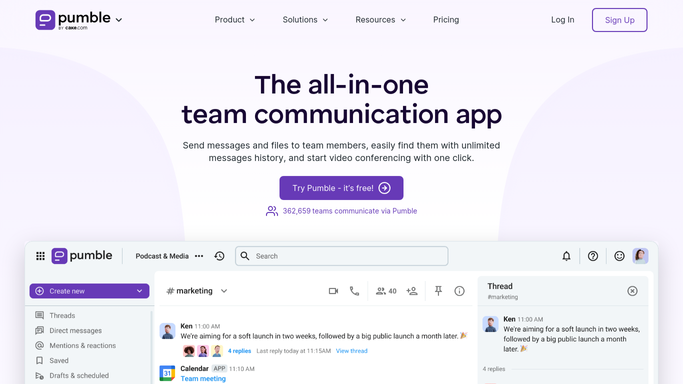
WebRun opens Pumble to review every channel for signs of life. - Open Pumble and browse the full channel directory rather than only the channels you have joined
- For each channel record the last message date, the member count, whether it has a description and whether anything is pinned
- Mark channels with no message in the past 60 days, and separately those with fewer than three members
- Skip anything on your keep list, such as announcement and onboarding channels
Done when Every channel in the workspace has a last message date, a member count and a stale or active mark.
-
2
Notion - build the archive shortlist
notion.so How to Automate Notion

WebRun opens Notion to build the archive shortlist. - Write this week's cleanup page into your Notion workspace-admin database
- List the archive candidates first, oldest last message at the top, with member counts beside them
- Add a second list of channels that are still busy but have no description or no pinned context for new joiners
- Leave the archiving itself to a human: the page is a shortlist to approve, not an instruction WebRun acts on
Done when Notion holds a dated cleanup page with a ranked archive shortlist and a list of channels missing context.
-
3
Trello - open a card for channels needing an owner
trello.com How to Automate Trello

WebRun opens Trello to open a card for channels needing an owner. - Open a Trello card for each active channel that has no clear owner
- Put the channel name, member count and last message date in the card description
- Link back to the Notion cleanup page so the reviewer sees the full picture
Done when Every ownerless channel has a Trello card waiting for someone to claim it.
How is each run configured?
Secure by default
Connect once, stays signed in
WebRun signs in once and keeps each session in a persistent environment, so every run picks up right where it left off.
Every action is checked against this policy before it runs.
Questions, answered
Will it archive or delete channels on its own?
No. WebRun only reads the channel list and writes a shortlist to Notion for you to approve. Archiving, renaming and deleting stay manual, so nothing disappears from the workspace without a human deciding.
How does it decide a channel is stale?
It uses the last message date and the member count you set as thresholds, for example no message in 60 days or fewer than three members, and it skips any channel on your keep list such as announcements or onboarding.
Does it post anything into the channels themselves?
No. WebRun never messages a Pumble channel. The output goes to your Notion cleanup page and to Trello cards, so members never see a bot posting into a conversation.
Related templates
Put this on autopilot.
Turn it on in minutes - or have our team set it up for you.