Get a new Postscript SMS number compliant before you text anyone
When a new Postscript number is being set up, WebRun checks the registration, opt-in keyword, and quiet-hours settings against a compliance checklist, logs the status of each step to Google Sheets, and posts the completed checklist to a Notion setup doc for the team.
- No credit card
- Under $0.01 per run
- Cancel anytime
How do I track a new Postscript number's compliance setup?
WebRun walks a new Postscript number through its compliance checklist, checking registration, opt-in keyword setup, and quiet-hours settings, logs each step's status to Google Sheets, and posts the completed checklist to Notion once everything passes. The team gets a clean, tracked setup record before a single text goes out.
- No new SMS number goes live with a compliance step missed
- The team can see setup status without opening Postscript
- A stalled setup keeps surfacing on the checklist until it is finished
Built for ecommerce brands · Shopify merchants · SMS marketing teams · marketing operations
What does WebRun do on every run?
The exact actions WebRun takes, in order - in plain language, so you can adjust anything.
-
WebRun signs in and gets to work
Opens
app.postscript.ioin a real browser with your saved login - no setup, no API keys. -
1
Postscript - check registration and compliance settings
postscript.io
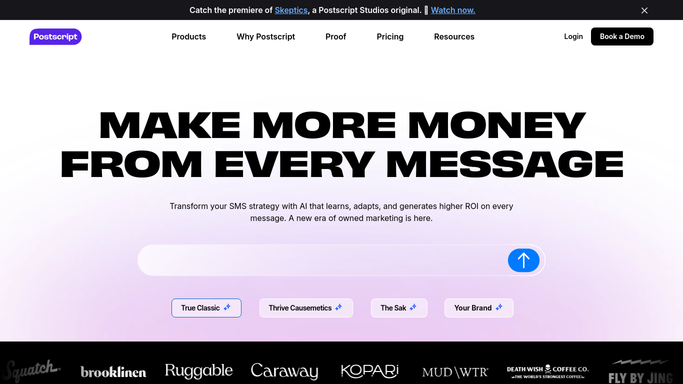
WebRun opens Postscript to check registration and compliance settings. - Open Postscript and check the number's registration status
- Confirm an opt-in keyword and welcome message are configured
- Check that quiet-hours sending restrictions are turned on
Done when Every compliance setting for the number has been checked.
-
2
Google Sheets - log the status of each step
google.com How to Automate Google Sheets

WebRun opens Google Sheets to log the status of each step. - Log the status of registration, keyword setup, and quiet hours as done or outstanding
- Note the date each item was completed
- Keep one row per number so multiple setups can be tracked at once
Done when Every checklist item has a logged status in the sheet.
-
3
Notion - post the completed checklist
notion.so How to Automate Notion

WebRun opens Notion to post the completed checklist. - Post the checklist to the team's setup doc once every item is complete
- List any outstanding item that still needs action
- Leave completing an outstanding item to the person who owns the setup
Done when The setup doc in Notion reflects the number's current checklist status.
How is each run configured?
Secure by default
Connect once, stays signed in
WebRun signs in once and keeps each session in a persistent environment, so every run picks up right where it left off.
Every action is checked against this policy before it runs.
Questions, answered
Will it register the number or send a test text on its own?
No. WebRun only reads the current registration and compliance settings and reports what is done and what is outstanding. Completing a step is still done by hand in Postscript.
What compliance settings does it check?
Registration status, whether an opt-in keyword and welcome message are configured, and whether quiet-hours sending restrictions are turned on.
What happens if a step is still outstanding?
It stays listed as outstanding in both Sheets and Notion, and the checklist keeps checking daily until every item is complete.
Related templates
Put this on autopilot.
Turn it on in minutes - or have our team set it up for you.