Catch the SMS campaign losing you subscribers
Every morning, WebRun opens Postscript, reads the opt out numbers on campaigns and automations sent recently, compares each against your normal rate, drafts a Gmail breakdown of anything unusual, and posts the spike straight to Slack so the next send can be held.
- No credit card
- Under $0.01 per run
- Cancel anytime
How do I catch an SMS campaign driving opt outs?
WebRun opens Postscript every morning and reads the opt out numbers on recent campaigns and automations, comparing each rate against your own recent average. It drafts a Gmail breakdown of anything unusual and posts the spike to Slack with the subscribers lost, so a bad cadence is caught after one campaign.
- A bad send is caught after one campaign, not after a quarter of list decay
- Each rate is judged against your own average, not a generic benchmark
- Automations bleeding subscribers quietly are surfaced alongside campaigns
Built for retention marketers · ecommerce brands · lifecycle marketing · SMS marketers
What does WebRun do on every run?
The exact actions WebRun takes, in order - in plain language, so you can adjust anything.
-
WebRun signs in and gets to work
Opens
app.postscript.ioin a real browser with your saved login - no setup, no API keys. -
1
Postscript - read opt out rates by campaign
postscript.io
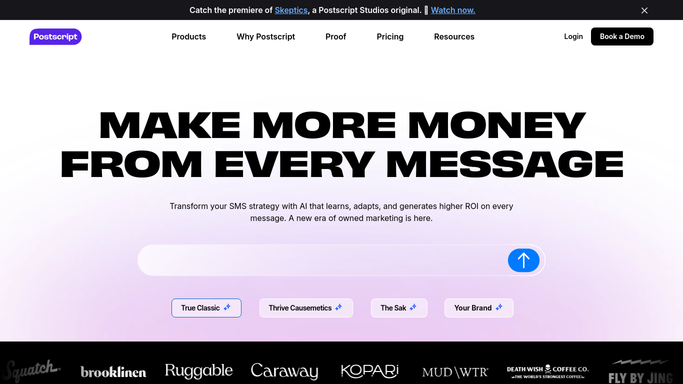
WebRun opens Postscript to read opt out rates by campaign. - Sign in to Postscript and open the campaigns view
- For each campaign sent in the last few days, record subscribers messaged and opt outs
- Calculate the opt out rate for each send
- Read the same figures on active automations, since a bad automation bleeds subscribers quietly
- Compare each rate against your recent average to identify the outliers
- Note attributed revenue next to each so a high opt out send is judged in full
Done when Every recent campaign and automation has an opt out rate compared against your average.
-
2
Gmail - draft the campaign breakdown
gmail.com How to Automate Gmail

WebRun opens Gmail to draft the campaign breakdown. - Draft an email breaking down any campaign running above your normal opt out rate
- Show subscribers messaged, opt outs, the rate, and the rate against your average
- Include the message copy and send time so the cause is visible
- Leave it as a draft for you to review before it goes to anyone else
Done when A breakdown of any unusual send is waiting in your Gmail drafts.
-
3
Slack - post the spike to the team
slack.com How to Automate Slack

WebRun opens Slack to post the spike to the team. - Post to your retention channel when a campaign clears your opt out threshold
- Name the campaign, the rate, and the number of subscribers lost
- Say plainly when nothing is above threshold so a normal morning is confirmed
- Leave the decision to pause or resend with a human. WebRun never sends or stops a campaign
Done when The team knows whether any recent send lost subscribers unusually fast.
How is each run configured?
Secure by default
Connect once, stays signed in
WebRun signs in once and keeps each session in a persistent environment, so every run picks up right where it left off.
Every action is checked against this policy before it runs.
Questions, answered
Will it send or pause a campaign?
No. WebRun never sends an SMS, schedules a campaign, pauses an automation, or messages a subscriber. It reads the numbers and reports them, and a human decides whether to change the cadence.
Does it email the team about a bad send?
No. The Gmail breakdown is drafted to yourself and left unsent until you approve it. Only the internal Slack line to your own channel posts automatically.
How does it know what counts as a spike?
It compares each campaign's opt out rate against your own recent average rather than a generic benchmark, so a send that loses subscribers unusually fast for your list is flagged even if the raw number looks small.
Related templates
Put this on autopilot.
Turn it on in minutes - or have our team set it up for you.