Book move-out inspections before keys drop
Every morning, WebRun opens Buildium, finds leases ending in the next few weeks, drafts an email to each move-out tenant in Gmail proposing an inspection date and time, leaves it unsent for your review, and sends you a Telegram list of which inspections still need to be booked, soonest move-outs first.
- No credit card
- Under $0.01 per run
- Cancel anytime
What does WebRun do on every run?
The exact actions WebRun takes, in order - in plain language, so you can adjust anything.
-
WebRun signs in and gets to work
Opens
signin.buildium.comin a real browser with your saved login - no setup, no API keys. -
1
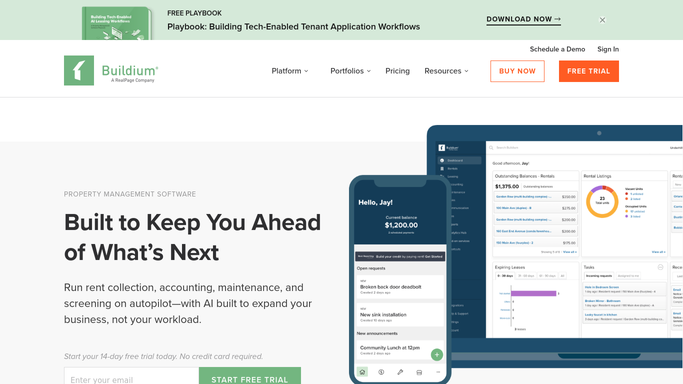
Buildium - find upcoming move-outs
buildium.com How to Automate Buildium

WebRun opens Buildium to find upcoming move-outs. - Open Buildium and filter leases to those ending in the next few weeks
- Capture each tenant, unit, and lease end date for the move-outs
- Note any unit that already has a move-out inspection scheduled
Done when Every upcoming move-out is captured with its lease end date.
-
2
Gmail - draft inspection invites
gmail.com How to Automate Gmail
WebRun drafts a move-out inspection invite for each tenant. - Draft an email to each departing tenant proposing a move-out inspection date and time
- Include what to expect and ask them to confirm or suggest another slot
- Leave every email as a draft for you to review. Never send to a tenant automatically
Done when An inspection-scheduling draft is ready for each move-out.
-
3
Telegram - list inspections to book
telegram.org How to Automate Telegram
WebRun sends the move-out inspection booking list to Telegram. - Send a list of move-outs with the proposed inspection date for each
- Put the soonest move-out dates first and flag any without a slot yet
- Leave it for you to review each draft and confirm the booking
Done when You have today's move-out inspection booking list in Telegram.


How do I schedule move-out inspections automatically?
Every morning, WebRun opens Buildium and finds leases ending in the next few weeks, then drafts an email to each departing tenant in Gmail proposing a move-out inspection date and time. It leaves every email unsent for your review and sends you a Telegram list of inspections still to confirm, so no unit is handed back without a walk-through.
- Every move-out gets an inspection invite drafted in advance
- No unit is handed back without a scheduled walk-through
- Soonest move-outs are flagged first so nothing slips
Built for property managers · landlords · residential property teams · leasing teams
How is each run configured?
Secure by default
Connect once, stays signed in
WebRun signs in once and keeps each session in a persistent environment, so every run picks up right where it left off.
Every action is checked against this policy before it runs.
Questions, answered
Will it email tenants to book inspections on its own?
No. WebRun drafts each scheduling email in Gmail and leaves it unsent. You review the proposed time and send it yourself, so no tenant is contacted without your approval.
How does it know which units are moving out?
It reads the lease end dates in Buildium and lists units ending in the next few weeks, skipping any that already have a move-out inspection scheduled, so you only see what still needs booking.
What if a tenant wants a different time?
The draft asks the tenant to confirm or suggest another slot. Because you send it yourself, you stay in the loop to agree a final time and update the booking in Buildium.
Related templates
Put this on autopilot.
Turn it on in minutes - or have our team set it up for you.