Automated Pleo Expense Export Checks
Every morning, WebRun opens Pleo, finds expenses that are complete but still not coded to a category or exported to your accounting system, opens a Trello card for each one with the cardholder and the reason it is stuck, and posts the bookkeeping channel a short Slack status of what is blocking the export.
How do I keep company card spend coded and exported every day?
WebRun checks your Pleo export every morning. It finds expenses that are complete but still uncoded or not yet exported to your accounting system, opens a Trello card per blocker with the cardholder and reason, and posts a Slack status, so the ledger stays current instead of piling up for month end.
- Blocked expenses surface the next morning, not at month end
- Every stuck expense has a Trello card and a named owner
- Month end close starts from a ledger that is already current
Built for bookkeepers · finance teams · startup operations · outsourced accountants
What does WebRun do on every run?
The exact actions WebRun takes, in order - in plain language, so you can adjust anything.
-
WebRun signs in and gets to work
Opens
app.pleo.ioin a real browser with your saved login - no setup, no API keys. -
1
Pleo - find uncoded and unexported spend
pleo.io
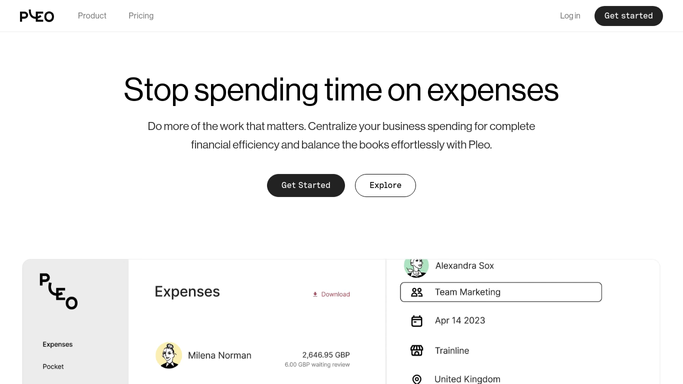
WebRun opens Pleo to find uncoded and unexported spend. - Sign in to Pleo and open the expenses view for the current month
- Capture every expense that has a receipt attached but no category, and every expense that is coded but still not exported to the accounting system
- Note the cardholder, the date, the amount, and the missing piece for each
Done when Every expense blocking the export has been listed with its owner and its gap.
-
2
Trello - open a card for each blocker
trello.com

WebRun opens Trello to open a card for each blocker. - Open a card on your bookkeeping board for each blocked expense, titled with the cardholder, the amount, and the date
- Put missing category and failed export in separate lists so the two jobs do not mix
- Move a card to Done and archive it once the expense has been coded and exported, so the board only ever shows live blockers
Done when The bookkeeping board matches today's blocked expenses exactly.
-
3
Slack - post the day's export status
slack.com

WebRun opens Slack to post the day's export status. - Post the bookkeeping channel a short status: how many expenses exported cleanly and how many are still blocked
- Group the blockers by cardholder so one person can clear their own in a single pass
- Leave the coding and the export itself to your bookkeeper. WebRun reports the gap and never edits a category or pushes an export
Done when The channel knows what is blocking today's export and who owns each item.
How is each run configured?
Secure by default
Connect once, stays signed in
WebRun signs in once and keeps each session in a persistent environment, so every run picks up right where it left off.
Every action is checked against this policy before it runs.
Questions, answered
Will it code expenses or run the export itself?
No. WebRun reports which expenses are uncoded or unexported and who owns them. Choosing a category and pushing spend into your accounting system stays a human decision every time.
How is this different from chasing receipts?
Receipt chasing happens before an expense is complete. This runs after: the receipt is in, but the expense is still not coded or still has not reached your accounting system.
Does it message cardholders directly?
No. WebRun posts an internal Slack summary and opens Trello cards for your bookkeeper. Any nudge to a cardholder comes from a person who has read the list.
Related templates
Put this on autopilot.
Turn it on in minutes - or have our team set it up for you.