Review which apps your wallet is still connected to
Every Monday, WebRun opens Phantom, reads the connected apps and standing token approvals on each account in your wallet, works out how long since you last interacted with each one, writes the whole list into Google Sheets, and texts you through Twilio the connections that have gone unused, so you can decide personally what to disconnect.
- No credit card
- Under $0.01 per run
- Cancel anytime
How do I review which apps my crypto wallet is connected to?
WebRun opens Phantom every Monday and lists every app your wallet is still connected to, along with the token approvals still standing. It logs each one in Google Sheets with the date you last used it and texts you the stale ones, leaving every disconnect for you to do yourself.
- A plain list of everything that still has permission, every Monday
- Connections you have not used in months are named, not buried in settings
- Every disconnect stays a decision you make yourself in Phantom
Built for wallet owners · crypto traders · NFT collectors · web3 teams
What does WebRun do on every run?
The exact actions WebRun takes, in order - in plain language, so you can adjust anything.
-
WebRun signs in and gets to work
Opens
phantom.appin a real browser with your saved login - no setup, no API keys. -
1
Phantom - list connected apps and approvals
phantom.app
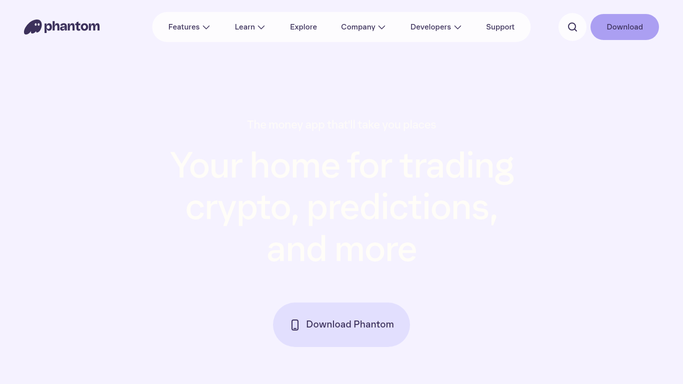
WebRun opens Phantom to list connected apps and approvals. - Open Phantom and go to the settings where connected apps are listed
- Record every app still connected, for each account in the wallet
- Note any token approval that is still standing, and how long since you last interacted with that app
- Mark connections you have not used in months as candidates for review
- Read only. WebRun never disconnects an app, never revokes an approval, and never signs a transaction
Done when Every connected app and standing approval is listed with its last use.
-
2
Google Sheets - log the review
google.com How to Automate Google Sheets

WebRun opens Google Sheets to log the review. - Open the wallet review sheet in Google Sheets
- Write one row per connection with the app, the account, the approval type, and the last use date
- Compare against last week so a new connection you did not expect is obvious
- Mark the rows you have already reviewed so the list shortens rather than repeating
Done when This week's connection list is recorded next to last week's.
-
3
Twilio - text the stale connections
twilio.com How to Automate Twilio

WebRun opens Twilio to text the stale connections. - Text your own saved number the connections that are unused or newly appeared
- Name the app, the account, and how long since you last used it
- Say clearly that disconnecting is yours to do in Phantom. WebRun never acts on the wallet
- Text only your own number. WebRun never messages anyone else
Done when You have a plain list of what still has access to the wallet.
How is each run configured?
Secure by default
Connect once, stays signed in
WebRun signs in once and keeps each session in a persistent environment, so every run picks up right where it left off.
Every action is checked against this policy before it runs.
Questions, answered
Will it disconnect apps or move funds?
No. WebRun only reads the connected app list and writes it to your own sheet. It never disconnects an app, revokes an approval, signs a transaction, or moves any asset. Every action on the wallet stays yours.
How does it decide what to flag?
It flags connections you have not interacted with for longer than the window you set, and any connection that is new since last week's list, so both forgotten access and unexpected access surface.
Does it tell me what to do with my holdings?
No. This is an access review, not advice. WebRun reports which apps have permission and when you last used them, and every decision about the wallet and its contents is yours.
Related templates
Put this on autopilot.
Turn it on in minutes - or have our team set it up for you.