Get told when your wallet balance really moves
Every hour, WebRun opens your unlocked Phantom wallet, reads the balance of every token you hold and the total portfolio value, compares each figure with the previous check, posts a note to your Slack channel when a holding moves past the percentage you set, and pings you on Telegram when the whole portfolio crosses a level you named.
- No credit card
- Under $0.01 per run
- Cancel anytime
How do I get alerts when my crypto wallet balance changes?
WebRun reads your unlocked Phantom wallet every hour, recording each token balance and the total portfolio value, then compares them with the previous check. It posts to Slack when a holding moves past your threshold and pings Telegram when the portfolio crosses a level you named, and it never trades.
- You stop refreshing the wallet all day
- Only real threshold crossings interrupt you
- Transfers in and out are recorded as they happen
Built for crypto holders · web3 teams · treasury managers · DAO operators
What does WebRun do on every run?
The exact actions WebRun takes, in order - in plain language, so you can adjust anything.
-
WebRun signs in and gets to work
Opens
phantom.appin a real browser with your saved login - no setup, no API keys. -
1
Phantom - read balances and portfolio value
phantom.app
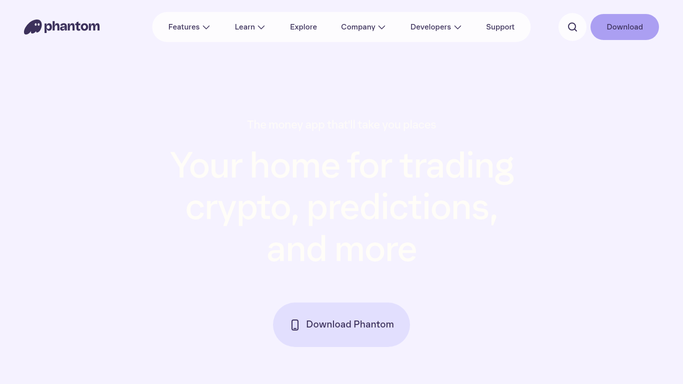
WebRun opens Phantom to read balances and portfolio value. - Open your unlocked Phantom wallet and read the portfolio view
- Record the balance and value of every token you hold
- Record the total portfolio value and any incoming or outgoing transfers since the last check
- Compare each figure with the values captured on the previous run
Done when Every holding has a current value and a change against the last check.
-
2
Slack - post the holdings that moved
slack.com How to Automate Slack

WebRun opens Slack to post the holdings that moved. - Post to your channel only when a holding moved past the percentage you set
- Name the token, the old value, the new value, and the change
- List any transfer in or out of the wallet since the last check
- Say nothing at all on an hour where nothing crossed a threshold
Done when Every threshold crossing this hour is recorded in Slack.
-
3
Telegram - ping you on a level crossing
telegram.org How to Automate Telegram

WebRun opens Telegram to ping you on a level crossing. - Ping you when the total portfolio value crosses a level you named
- Give the total, the change, and which holding drove most of it
- Report figures only. Never suggest buying, selling, or swapping anything
- Never sign, approve, or send a transaction under any circumstances
Done when You are told the moment your portfolio crosses a level you care about.
How is each run configured?
Secure by default
Connect once, stays signed in
WebRun signs in once and keeps each session in a persistent environment, so every run picks up right where it left off.
Every action is checked against this policy before it runs.
Questions, answered
Can it trade or move my funds?
No. WebRun can never sign, approve, send, or swap a transaction. The run is read-only: it looks at the portfolio view and reports the numbers it finds.
Does it see my seed phrase?
No. You unlock Phantom yourself on your own device. WebRun never handles your seed phrase or private keys, and never types them anywhere.
Does it tell me what to buy or sell?
No. WebRun reports balances and changes only. It gives no investment advice and makes no recommendation, so every decision stays entirely yours.
Related templates
Put this on autopilot.
Turn it on in minutes - or have our team set it up for you.