Make sure every graft case has signed consent on file
Every morning, WebRun opens Panda Perio, lists graft cases booked in the coming week, checks DocuSign for a completed consent for each, prepares a consent packet to send for any that are missing, and posts your team an outstanding-consent list in Slack, leaving each packet queued for staff to approve before it goes to the patient.
- No credit card
- Under $0.01 per run
- Cancel anytime
What does WebRun do on every run?
The exact actions WebRun takes, in order - in plain language, so you can adjust anything.
-
WebRun signs in and gets to work
Opens
www.pandaperio.comin a real browser with your saved login - no setup, no API keys. -
1
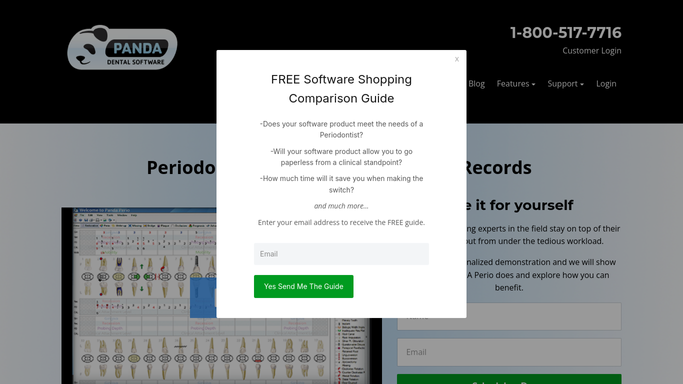
Panda Perio - list upcoming graft cases
pandaperio.com How to Automate Panda Perio

WebRun opens Panda Perio to list upcoming graft cases. - Open Panda Perio and list soft-tissue and bone graft cases booked in the next seven days
- Capture the patient, the specific graft procedure, and the surgery date
- Note the consent form version that each procedure requires
Done when Every upcoming graft case is listed with its procedure and required consent version.
-
2
DocuSign - check for signed consent and draft what is missing
docusign.com How to Automate DocuSign
WebRun checks DocuSign and queues any missing consent packet. - Open DocuSign and check whether each patient has a completed, signed consent for the correct procedure
- For any case with no signed consent, prepare the matching consent packet addressed to the patient
- Leave each prepared packet queued for staff to review and send. WebRun never sends a consent request to a patient on its own
Done when Every graft case is marked as consented or has a consent packet queued for approval.
-
3
Slack - post the outstanding-consent list
slack.com How to Automate Slack
WebRun posts the outstanding-consent list to your team. - Post an outstanding-consent list to your team's Slack channel, soonest surgery first
- Show for each case whether consent is signed, queued, or still needed, using the chart identifier
- Highlight any case within 48 hours of surgery that still has no signed consent
Done when The team has today's outstanding-consent list in Slack with urgent cases highlighted.


How do I automatically track consent forms for periodontal graft cases?
WebRun opens Panda Perio each morning, lists graft cases booked that week, and checks DocuSign for a signed consent on each. For any that are missing, it prepares the correct consent packet and queues it for staff to approve, then posts your team an outstanding-consent list in Slack, so no graft case reaches the chair without signed consent on file.
- No graft case reaches the chair without signed consent
- Missing consent packets queued days ahead
- All consent requests staff-approved before sending
Built for periodontists · surgical dental practices · treatment coordinators · oral surgery teams
How is each run configured?
Secure by default
Connect once, stays signed in
WebRun signs in once and keeps each session in a persistent environment, so every run picks up right where it left off.
Every action is checked against this policy before it runs.
Questions, answered
Will it send consent forms to patients without approval?
No. WebRun prepares the matching consent packet in DocuSign and queues it, but staff review and send it. Sending a consent request to a patient always stays a human decision.
How does it match the right consent form?
It reads the specific graft procedure in Panda Perio and selects the consent version that procedure requires, so a connective tissue graft and a bone graft each get their correct form rather than a generic one.
What about a case that is nearly here with no consent?
It highlights any case within 48 hours of surgery that still has no signed consent at the top of the Slack list, so your team can chase it before the patient is in the chair.
Related templates
Put this on autopilot.
Turn it on in minutes - or have our team set it up for you.