Collect signed sedation consents before the appointment
Every morning, WebRun opens Oryx Dental, finds children scheduled for sedation or a procedure that needs written consent, prepares the correct consent forms in DocuSign addressed to the guardian of record, and drafts a Twilio request text for your front desk to send so every consent is signed before the child arrives.
- No credit card
- Under $0.01 per run
- Cancel anytime
What does WebRun do on every run?
The exact actions WebRun takes, in order - in plain language, so you can adjust anything.
-
WebRun signs in and gets to work
Opens
portal.oryxdental.comin a real browser with your saved login - no setup, no API keys. -
1
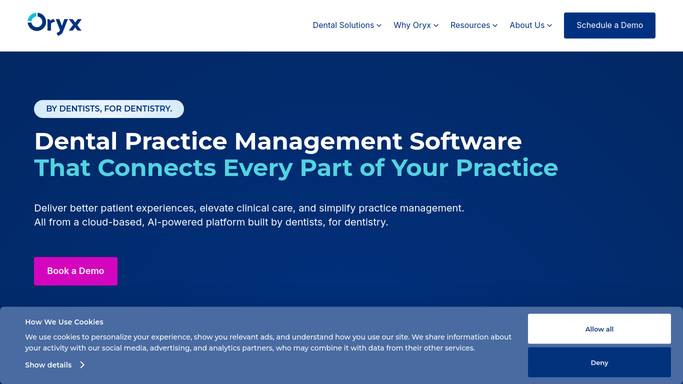
Oryx Dental - find children needing sedation consent
oryxdental.com How to Automate Oryx Dental

WebRun opens Oryx Dental to find children needing sedation consent. - Open Oryx Dental and find children booked for sedation or a consent-required procedure in the coming days
- Read the procedure and sedation type to know which consent forms apply
- Check whether a signed consent is already on file for this visit
- Capture the guardian of record and their contact for each child still needing consent
Done when Every upcoming sedation visit is listed with the consent forms it still needs.
-
2
DocuSign - prepare the correct consent forms
docusign.com How to Automate DocuSign
WebRun opens DocuSign to prepare the correct consent forms. - Open DocuSign and select the correct consent template for each child's procedure and sedation type
- Pre-fill the child's first name, procedure, and date, addressed to the guardian of record
- Prepare each envelope as ready to send but leave it unsent for the front desk to release
- Do not send any consent request to a guardian automatically
Done when A correct, pre-filled consent envelope is prepared in DocuSign for every child that needs one.
-
3
Twilio - draft the guardian request text
twilio.com How to Automate Twilio
WebRun opens Twilio to draft the guardian request text. - Draft a short, clear text asking the guardian to review and sign the consent before the visit
- Reference the child by first name and the appointment date, keeping clinical detail minimal
- Save every text as a draft in Twilio. Do not send any guardian message automatically
- List which children still lack a signed consent so the front desk can prioritize
Done when A consent request text is drafted and queued for approval for every guardian who still needs to sign.


How do I automatically collect sedation consent forms before a visit?
WebRun opens Oryx Dental each morning, finds children booked for sedation, and identifies the consent forms each visit still needs. It prepares the correct pre-filled envelope in DocuSign and drafts a Twilio request text for the guardian, then holds both for your front desk to send, so every consent is signed before the child arrives.
- Consents are signed before the visit instead of scrambled at check-in
- The right form goes out for each procedure and sedation type
- No consent request reaches a guardian without front-desk approval
Built for pediatric dentists · dental front desk teams · sedation dentistry practices · childrens dental clinics
How is each run configured?
Secure by default
Connect once, stays signed in
WebRun signs in once and keeps each session in a persistent environment, so every run picks up right where it left off.
Every action is checked against this policy before it runs.
Questions, answered
Will it send consent requests to guardians without me?
No. WebRun prepares the correct envelope in DocuSign and drafts the request text in Twilio, but leaves both unsent for your front desk to release. No consent request or protected health information goes to a guardian without your approval.
How does it pick the right consent form?
It reads the procedure and sedation type recorded in Oryx Dental for each child and selects the matching DocuSign consent template, so the guardian receives the exact form that visit requires.
What if a consent is already signed?
It checks Oryx Dental for a signed consent on file for that visit and skips any child already covered, so guardians are only asked to sign when a consent is genuinely missing.
Related templates
Put this on autopilot.
Turn it on in minutes - or have our team set it up for you.