Chase down missing timesheet submissions before payroll closes
Every morning in the days leading up to payroll, WebRun opens Gusto, finds every hourly employee whose timesheet for the current pay period is still incomplete or unapproved, and posts a follow-up list to Slack. It also logs the outstanding timesheets to a Google Sheet for the payroll manager to track.
- No credit card
- Under $0.01 per run
- Cancel anytime
What does WebRun do on every run?
The exact actions WebRun takes, in order - in plain language, so you can adjust anything.
-
WebRun signs in and gets to work
Opens
app.gusto.comin a real browser with your saved login - no setup, no API keys. -
1
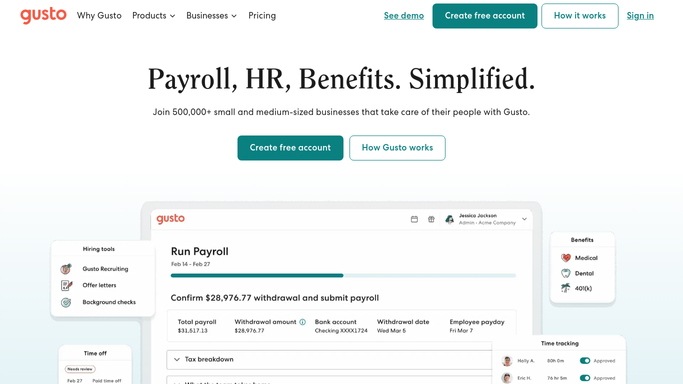
Gusto - find employees with incomplete timesheets
gusto.com How to Automate Gusto

WebRun opens Gusto to find employees with incomplete timesheets. - Open Gusto and navigate to the time tracking section for the current pay period
- Identify all hourly employees whose timesheets are not yet submitted or approved
- Capture each employee name, department, and the number of days not yet logged
- Note the payroll submission deadline and how many days remain
Done when Every employee with an incomplete or unapproved timesheet is listed with their details.
-
2
Slack - alert managers about outstanding submissions
slack.com How to Automate Slack
WebRun opens Slack to alert managers about outstanding submissions. - Post a follow-up list to the payroll Slack channel grouped by department
- Include the payroll deadline date so managers know how urgent the chase is
- Tag the relevant department managers for each group of outstanding employees
Done when Managers have a clear list of who still needs to submit timesheets in Slack.
-
3
Google Sheets - log outstanding timesheets for tracking
google.com How to Automate Google Sheets
WebRun opens Google Sheets to log outstanding timesheets for tracking. - Open the payroll tracking Google Sheet
- Append a new row for each outstanding timesheet with employee name, department, and run date
- Mark rows resolved on subsequent runs when timesheets have been submitted
Done when The tracking sheet reflects every outstanding timesheet for the current pay period.


How do I automatically chase employees with missing timesheets before payroll?
WebRun checks Gusto every morning and finds all hourly employees whose timesheets for the current pay period are still incomplete or unapproved. It posts a department-grouped list to Slack for managers to chase, and logs outstanding entries in Google Sheets so your payroll team has a clear, up-to-date view before the cutoff.
- Payroll never holds because of missing timesheets
- Managers get a department-grouped chase list every morning with days remaining
- Resolved timesheets are marked automatically so follow-ups stay focused
Built for payroll administrators · HR managers · small business owners · operations managers
How is each run configured?
Secure by default
Connect once, stays signed in
WebRun signs in once and keeps each session in a persistent environment, so every run picks up right where it left off.
Every action is checked against this policy before it runs.
Questions, answered
Will it message employees directly to remind them?
No. WebRun only posts an internal list to your Slack payroll channel for managers to action. It never contacts employees directly. Any reminders to staff are handled by your managers.
Does it run every day or just close to the payroll deadline?
It runs every morning, but the list is only meaningful when pay period timesheets are open. On days with no outstanding submissions, the Slack message is skipped automatically.
What if some employees are salaried and do not submit timesheets?
WebRun reads Gusto's time tracking section, which only shows hourly or time-tracked employees. Salaried exempt employees without time tracking are not included in the list.
Related templates
Put this on autopilot.
Turn it on in minutes - or have our team set it up for you.