Never miss a payroll run deadline again
Every morning, WebRun opens Gusto, checks the upcoming payroll run schedule for the next five business days, identifies any runs due within 48 hours, and posts a clear reminder to your Slack payroll channel so no deadline slips through.
- No credit card
- Under $0.01 per run
- Cancel anytime
What does WebRun do on every run?
The exact actions WebRun takes, in order - in plain language, so you can adjust anything.
-
WebRun signs in and gets to work
Opens
app.gusto.comin a real browser with your saved login - no setup, no API keys. -
1
Gusto - check upcoming payroll schedule
gusto.com How to Automate Gusto

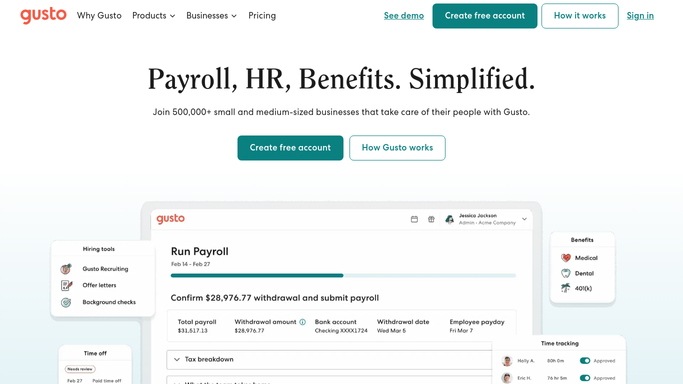
WebRun opens Gusto to check upcoming payroll schedule. - Open Gusto and navigate to the payroll schedule overview
- Identify all payroll runs due within the next 48 hours
- Note the pay period, pay date, and submission deadline for each run
- Flag any runs where timesheets have not yet been approved
Done when Every upcoming payroll deadline within 48 hours is captured with its key details.
-
2
Slack - post deadline reminders to the team
slack.com How to Automate Slack
WebRun opens Slack to post deadline reminders to the team. - Post a concise reminder to the payroll Slack channel listing each deadline
- Include pay period dates, submission cutoff time, and any missing timesheet approvals
- Tag the payroll owner if a run is due within 24 hours
Done when The payroll team has today's upcoming deadlines in Slack.

How do I get automatic Gusto payroll run deadline reminders?
WebRun opens Gusto every morning, reads the upcoming payroll schedule, and identifies any runs due within 48 hours. It then posts a clear deadline reminder to your Slack payroll channel, including pay period dates and cutoff times, so your team always processes payroll on time without manually tracking the calendar.
- No payroll run deadline slips through without a same-day Slack alert
- Team gets at least 48 hours of advance notice before every submission cutoff
- Missing timesheet approvals are flagged before the run is due
Built for small business owners · HR managers · payroll administrators · operations teams
How is each run configured?
Secure by default
Connect once, stays signed in
WebRun signs in once and keeps each session in a persistent environment, so every run picks up right where it left off.
Every action is checked against this policy before it runs.
Questions, answered
Will it process or submit payroll automatically?
No. WebRun only reads the schedule and posts reminders. Processing payroll is left entirely to your team. Nothing is submitted or changed in Gusto on your behalf.
How far ahead does it warn you?
It flags any payroll run due within the next 48 hours each morning, giving your team at least one full business day of notice before the submission cutoff.
What happens if there are no upcoming runs?
If no runs fall within the 48-hour window, WebRun skips the Slack post and runs again the next morning, so your channel stays quiet on off-cycle days.
Related templates
Put this on autopilot.
Turn it on in minutes - or have our team set it up for you.