Give managers a clear view of team PTO balances every week
Every Monday, WebRun opens Gusto, reads each employee's current PTO balance and accrual rate, flags anyone with an unusually high balance that may expire under a use-it-or-lose-it policy, groups the results by team or department, and posts a concise PTO summary to the HR and manager Slack channel.
- No credit card
- Under $0.01 per run
- Cancel anytime
What does WebRun do on every run?
The exact actions WebRun takes, in order - in plain language, so you can adjust anything.
-
WebRun signs in and gets to work
Opens
app.gusto.comin a real browser with your saved login - no setup, no API keys. -
1
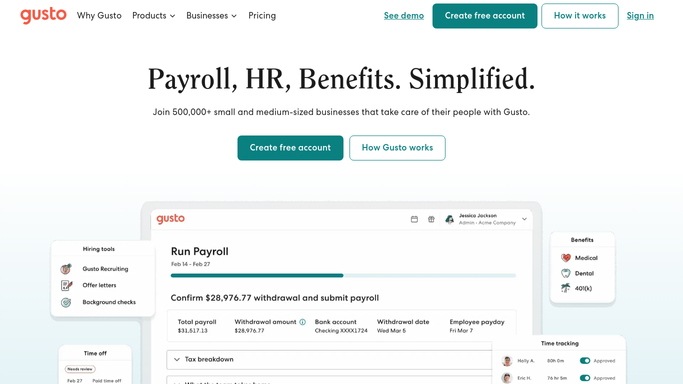
Gusto - read PTO balances and accrual rates by employee
gusto.com How to Automate Gusto

WebRun opens Gusto to read PTO balances and accrual rates by employee. - Open Gusto and navigate to the time-off section under People
- Read each employee's current PTO balance, accrual rate, and any accrual cap
- Identify employees whose balance is within 40 hours of their accrual cap, indicating they are about to stop accruing
- Group employees by department or team as recorded in Gusto
- Note any employee with a balance above 120 hours as a potential use-it-or-lose-it risk
Done when All employee PTO balances are captured, grouped by team, with high-balance flags noted.
-
2
Slack - post weekly PTO summary by team to managers
slack.com How to Automate Slack
WebRun opens Slack to post weekly PTO summary by team to managers. - Post a weekly PTO summary to the HR Slack channel organized by team
- Lead with any employees flagged as near their accrual cap or at use-it-or-lose-it risk
- Include team totals and average balance per department so managers can plan coverage
- Note the company's accrual policy summary so the context is clear without needing to look it up
Done when Managers and HR have the week's PTO balance summary in Slack.

How do I automatically report team PTO balances from Gusto every week?
Every Monday, WebRun opens Gusto, reads each employee's current PTO balance and accrual rate, flags anyone near their accrual cap or at use-it-or-lose-it risk, and posts a team-by-team summary to Slack. Managers get a clear view of coverage risks and high-balance employees before the week starts, without logging into Gusto manually.
- Managers start every Monday with a team PTO balance view, no Gusto login required
- Use-it-or-lose-it risks surfaced weeks before accrual caps are hit
- Coverage planning informed by team PTO totals and average balances
Built for HR managers · team managers · payroll administrators · small business owners
How is each run configured?
Secure by default
Connect once, stays signed in
WebRun signs in once and keeps each session in a persistent environment, so every run picks up right where it left off.
Every action is checked against this policy before it runs.
Questions, answered
Will it adjust or approve PTO requests automatically?
No. WebRun only reads and reports on PTO balances. Approving or adjusting time-off requests is handled by managers directly in Gusto. Nothing is changed in the system on your behalf.
What does the use-it-or-lose-it flag actually mean?
It flags employees whose balance is high enough that they risk losing accrued PTO if your company enforces a use-it-or-lose-it policy or an accrual cap. The threshold defaults to 120 hours but can be adjusted.
Does it show PTO taken or just the current balance?
It shows the current balance in Gusto, which reflects PTO already taken and approved. It also shows the accrual rate so managers can see how quickly each employee is adding hours.
Related templates
Put this on autopilot.
Turn it on in minutes - or have our team set it up for you.