Keep off-cycle payroll requests from falling through the cracks
Every morning, WebRun opens Gusto, finds any off-cycle payroll runs that have been requested but not yet approved or processed, gathers the reason, amount, and employee details for each, and posts a draft approval summary to Slack so your payroll manager can review and take action before any payment goes out.
- No credit card
- Under $0.01 per run
- Cancel anytime
What does WebRun do on every run?
The exact actions WebRun takes, in order - in plain language, so you can adjust anything.
-
WebRun signs in and gets to work
Opens
app.gusto.comin a real browser with your saved login - no setup, no API keys. -
1
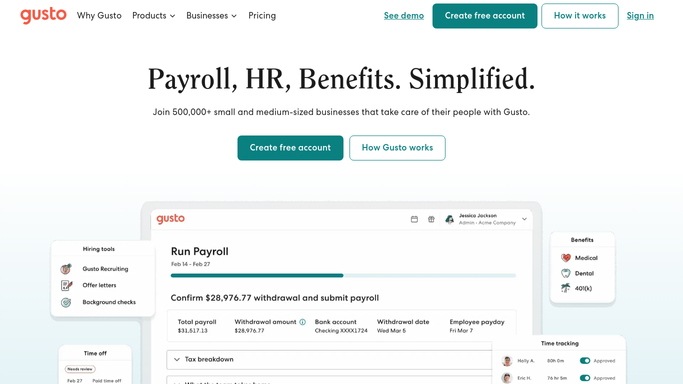
Gusto - find pending off-cycle payroll requests
gusto.com How to Automate Gusto

WebRun opens Gusto to find pending off-cycle payroll requests. - Open Gusto and navigate to the payroll section to look for pending off-cycle runs
- Identify each off-cycle request including employee name, payment amount, and reason provided
- Note whether each request was submitted by HR, a manager, or the employee themselves
- Check the requested payment date and flag any that are urgent or overdue for approval
Done when Every pending off-cycle payroll request is captured with its employee, amount, reason, and requested date.
-
2
Slack - queue approval summary for payroll manager review
slack.com How to Automate Slack
WebRun opens Slack to queue approval summary for payroll manager review. - Post a draft approval summary to the payroll Slack channel listing each pending off-cycle request
- Highlight the total estimated payout and flag any requests marked urgent
- Note that the payroll manager must approve each run in Gusto before any payment is processed. WebRun does not submit or approve payments
Done when The payroll manager has a complete approval queue in Slack with all details needed to decide.

How do I keep track of pending off-cycle payroll approvals in Gusto?
WebRun opens Gusto every morning and finds any off-cycle payroll runs pending approval, capturing the employee, payment amount, reason, and urgency for each. It posts a draft approval queue to Slack so your payroll manager can review all pending requests and approve them in Gusto before any payment is processed.
- Off-cycle payment requests never sit unreviewed for more than one business day
- Payroll manager sees amount, reason, and urgency before approving anything in Gusto
- No off-cycle run is processed without explicit human approval
Built for payroll administrators · HR managers · finance teams · small business owners
How is each run configured?
Secure by default
Connect once, stays signed in
WebRun signs in once and keeps each session in a persistent environment, so every run picks up right where it left off.
Every action is checked against this policy before it runs.
Questions, answered
Will WebRun approve or process off-cycle payments on its own?
No. Processing an off-cycle payroll run requires human approval. WebRun drafts and queues the summary for your payroll manager to review, and the manager approves each run directly in Gusto before any money moves.
What counts as an off-cycle payroll request?
An off-cycle run is any payroll run outside your regular pay schedule, typically for a bonus, a termination final pay, a correction, or a missed regular payment. WebRun picks these up from the Gusto payroll queue.
What if there are no pending off-cycle requests?
If Gusto shows no pending off-cycle runs, WebRun skips the Slack post and tries again the next morning, so your channel stays quiet on days with nothing to approve.
Related templates
Put this on autopilot.
Turn it on in minutes - or have our team set it up for you.