Build a daily specimen rejection worklist from LigoLab
Every morning, WebRun opens LigoLab, collects every specimen flagged as rejected since the prior run, captures the rejection reason and ordering client, and appends a structured row to a Google Sheet so the accessioning team has a clear worklist for the day.
- No credit card
- Under $0.01 per run
- Cancel anytime
What does WebRun do on every run?
The exact actions WebRun takes, in order - in plain language, so you can adjust anything.
-
WebRun signs in and gets to work
Opens
www.ligolab.comin a real browser with your saved login - no setup, no API keys. -
1
LigoLab - collect rejected specimens
ligolab.com How to Automate LigoLab

WebRun opens LigoLab to collect rejected specimens. - Open LigoLab and filter the worklist for specimens with a rejected status since yesterday
- Capture accession number, rejection reason, specimen type, ordering client, and collection date for each
- Note whether a recollect order has already been initiated
Done when Every rejected specimen has its details captured and is ready to log.
-
2
Google Sheets - log rejection worklist
google.com How to Automate Google Sheets
WebRun opens Google Sheets to log rejection worklist. - Append each rejection as a new row in the daily rejection tracker sheet
- Include accession number, rejection reason, client, and recollect status columns
- Highlight rows where no recollect has been initiated so they are visible at a glance
Done when The Google Sheet shows every rejection with details and highlights outstanding recollects.
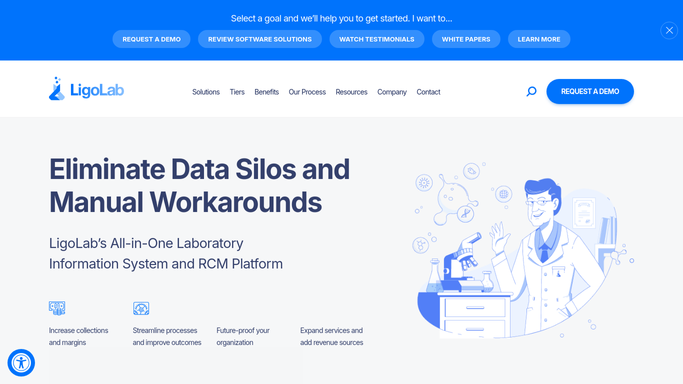

How do I automatically build a daily specimen rejection worklist from LigoLab?
WebRun opens LigoLab every morning, collects every specimen still flagged as rejected, and appends a structured row to a Google Sheet with accession number, rejection reason, ordering client, and recollect status. The accessioning team starts each day with a complete, prioritized worklist requiring no manual searching.
- Every rejection captured and logged before staff arrive each morning
- Outstanding recollects highlighted automatically so nothing is missed
- No manual worklist building, saving the accessioning team 30 or more minutes daily
Built for pathology lab accessioning teams · clinical lab supervisors · laboratory quality managers
How is each run configured?
Secure by default
Connect once, stays signed in
WebRun signs in once and keeps each session in a persistent environment, so every run picks up right where it left off.
Every action is checked against this policy before it runs.
Questions, answered
Will it notify the ordering physician or patient about a rejection?
No. The worklist is an internal Google Sheet only. Any client or patient communication about a rejection must be initiated and approved by a human staff member.
Can it handle multiple rejection reason codes from LigoLab?
Yes. WebRun captures whatever rejection reason is recorded in LigoLab, including quantity not sufficient, hemolysis, wrong tube, and others, and logs each code verbatim.
What if a specimen was already re-collected before the morning run?
If LigoLab has updated the specimen status to active or received, it will not appear on the rejection worklist. Only specimens still flagged as rejected are included.
Related templates
Put this on autopilot.
Turn it on in minutes - or have our team set it up for you.