Send your team a daily lab volume digest from LigoLab
Every morning, WebRun opens LigoLab, totals the prior day's case volume by department and case type, and posts a concise throughput digest to an internal Slack channel so lab leadership starts the day with a clear picture of yesterday's output.
- No credit card
- Under $0.01 per run
- Cancel anytime
What does WebRun do on every run?
The exact actions WebRun takes, in order - in plain language, so you can adjust anything.
-
WebRun signs in and gets to work
Opens
www.ligolab.comin a real browser with your saved login - no setup, no API keys. -
1
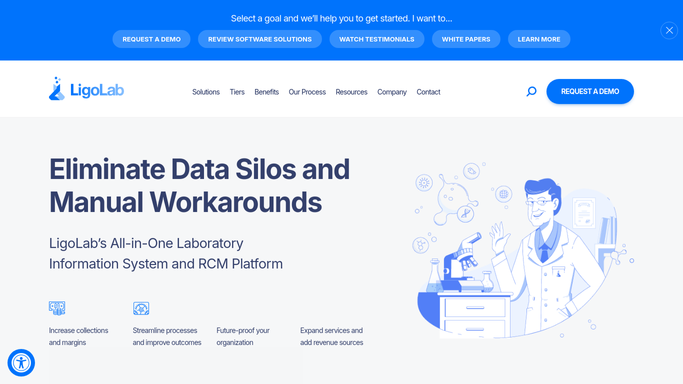
LigoLab - tally prior-day case volume by department
ligolab.com How to Automate LigoLab

WebRun opens LigoLab to tally prior-day case volume by department. - Open LigoLab and navigate to the volume or reporting dashboard
- Filter for cases accessioned and resulted in the prior calendar day
- Break down totals by department: anatomic pathology, clinical lab, molecular
- Note total cases received, cases resulted, and cases still pending from prior day
Done when Prior-day volume totals by department are captured and ready to post.
-
2
Slack - post daily throughput digest
slack.com How to Automate Slack
WebRun opens Slack to post daily throughput digest. - Post a formatted digest to the lab leadership Slack channel
- Include total cases received, resulted, and pending, broken down by department
- Highlight any department where pending volume exceeded the prior 7-day average
Done when Leadership has a formatted prior-day volume digest in Slack by 8:00 AM.

How do I automatically get a daily lab volume digest from LigoLab each morning?
WebRun opens LigoLab every morning and tallies the prior day's case volume by department, then posts a concise Slack digest showing cases received, resulted, and still pending. Lab leadership starts each day with a clear throughput snapshot and an automatic flag when any department's pending volume is above average.
- Leadership sees prior-day throughput by 8 AM without logging into LigoLab
- Backlog spikes flagged automatically when pending volume exceeds the 7-day average
- No PHI in the digest, only aggregate counts safe for internal Slack sharing
Built for pathology lab directors · laboratory operations managers · clinical lab leadership
How is each run configured?
Secure by default
Connect once, stays signed in
WebRun signs in once and keeps each session in a persistent environment, so every run picks up right where it left off.
Every action is checked against this policy before it runs.
Questions, answered
Does the digest include any patient information?
No. The digest contains only aggregate counts by department and case type. No accession numbers, patient identifiers, or PHI are included in the Slack post.
Can it compare today's volume to a historical baseline?
Yes. WebRun can flag departments where the pending volume exceeds the prior 7-day average, giving leadership an early signal when a backlog is building.
Can it cover weekends and holidays?
Yes. The digest runs every day on its schedule, including weekends. If volume on a given day is zero, it posts a zero-count summary so the absence of data is visible, not silent.
Related templates
Put this on autopilot.
Turn it on in minutes - or have our team set it up for you.