Draft critical result notifications for physician review
Every hour, WebRun checks LigoLab for newly flagged critical results, drafts a structured notification for the ordering physician, and saves it as a Gmail draft for a pathologist or supervisor to review and send, ensuring no critical value goes unreported while keeping a human in the loop.
- No credit card
- Under $0.01 per run
- Cancel anytime
What does WebRun do on every run?
The exact actions WebRun takes, in order - in plain language, so you can adjust anything.
-
WebRun signs in and gets to work
Opens
www.ligolab.comin a real browser with your saved login - no setup, no API keys. -
1
LigoLab - detect newly flagged critical results
ligolab.com How to Automate LigoLab

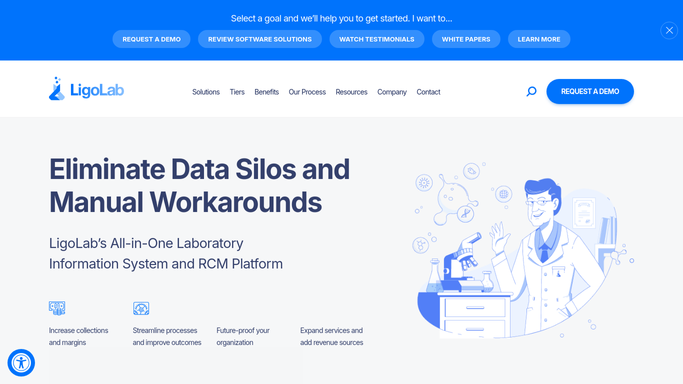
WebRun opens LigoLab to detect newly flagged critical results. - Open LigoLab and filter for cases with a critical value flag added since the prior run
- Capture accession number, patient identifier (no PHI in external output), test name, critical value, and ordering physician contact
- Note whether a call-back attempt has already been documented in LigoLab
Done when Every new critical result is identified with the ordering physician details ready.
-
2
Gmail - save notification draft for human review
gmail.com How to Automate Gmail
WebRun opens Gmail to save notification draft for human review. - Draft a structured notification email addressed to the ordering physician
- Include accession number, test name, critical value, and a request to acknowledge receipt
- Save as a draft only. Do not send. Leave for a pathologist or supervisor to review and transmit
Done when A draft notification exists in Gmail for every new critical result, unsent and ready for human approval.

How do I automatically draft critical result notifications from LigoLab for physician review?
WebRun checks LigoLab every hour for newly flagged critical values, drafts a structured physician notification in Gmail for each one, and leaves every draft unsent for a pathologist or supervisor to review and transmit. No PHI leaves the system and no notification is sent without human approval.
- Every critical result gets a drafted notification within one hour, not discovered at shift end
- Pathologists review a ready-to-send draft rather than composing from scratch
- No PHI sent externally without authorized human review
Built for pathology lab directors · clinical pathologists · lab supervisors · medical lab managers
How is each run configured?
Secure by default
Connect once, stays signed in
WebRun signs in once and keeps each session in a persistent environment, so every run picks up right where it left off.
Every action is checked against this policy before it runs.
Questions, answered
Will it send the notification to the physician automatically?
No. WebRun saves every critical result notification as a Gmail draft. A pathologist or supervisor must review and send each one. This is a strict draft-not-do workflow to protect patient safety and comply with critical value reporting requirements.
Does it transmit protected health information externally?
No PHI is sent externally without human approval. The draft is created within your Gmail account and remains unsent until a authorized staff member reviews and transmits it.
What if the same critical result has already been reported?
WebRun checks whether a call-back is already documented in LigoLab before drafting. Results with an existing acknowledgment record are skipped to avoid duplicate notifications.
Related templates
Put this on autopilot.
Turn it on in minutes - or have our team set it up for you.