Automated OneTrust Vendor Assessment Renewals
Every Monday, WebRun opens OneTrust, reads each vendor's latest assessment date and risk level, flags the ones expiring within your window and the vendors never assessed at all, logs each with its owner in Airtable, and writes the quarter's reassessment plan into Notion.
How do I track which vendor risk assessments are expiring?
WebRun opens OneTrust every Monday, reads each vendor's last assessment date and risk level, and flags the ones expiring inside your window plus any vendor never assessed. It logs each with its owner in Airtable and writes the quarter's reassessment plan into Notion, so no supplier goes stale before an auditor asks.
- Expiring assessments surface a quarter ahead, not at audit
- Vendors never assessed get their own section instead of hiding
- Every line carries the owner who has to act on it
Built for vendor risk owners · privacy and compliance teams · security governance · procurement
What does WebRun do on every run?
The exact actions WebRun takes, in order - in plain language, so you can adjust anything.
-
WebRun signs in and gets to work
Opens
app.onetrust.comin a real browser with your saved login - no setup, no API keys. -
1
OneTrust - read vendor assessment dates
onetrust.com
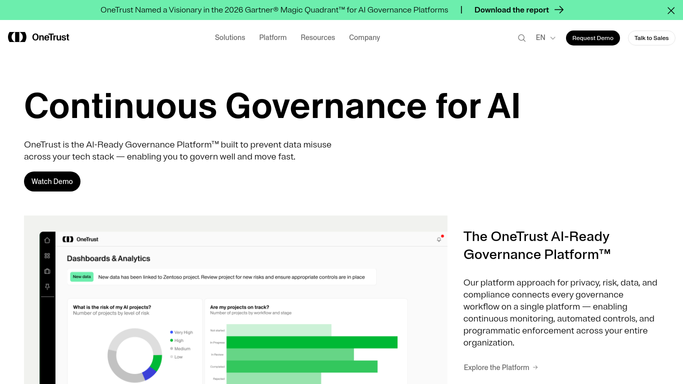
WebRun opens OneTrust to read vendor assessment dates. - Open OneTrust and list the vendors in your inventory with their assessment history
- Capture each vendor's last completed assessment date, its risk level, and the internal owner
- Flag vendors whose assessment expires inside your window and vendors with no completed assessment at all
Done when Every vendor has a current assessment status and an expiry position.
-
2
Airtable - log what needs reassessing
airtable.com

WebRun opens Airtable to log what needs reassessing. - Add or update a row per vendor with the last assessment date, risk level, owner, and due date
- Sort so high risk vendors and never assessed vendors sit at the top
- Mark rows complete once a new assessment shows as finished in OneTrust
Done when Every vendor needing reassessment has a current Airtable row with an owner.
-
3
Notion - write the quarter's plan
notion.so

WebRun opens Notion to write the quarter's plan. - Write the quarter's reassessment plan grouped by owner, with the vendors and dates under each name
- Note the count of vendors never assessed as a separate section
- Keep last quarter's plan underneath so progress is visible over time
Done when The quarter's reassessment plan is written and grouped by owner in Notion.
How is each run configured?
Secure by default
Connect once, stays signed in
WebRun signs in once and keeps each session in a persistent environment, so every run picks up right where it left off.
Every action is checked against this policy before it runs.
Questions, answered
Will it send an assessment to a vendor?
No. WebRun reads assessment dates and builds the plan. Issuing a questionnaire, emailing a supplier, or closing an assessment stays a human action inside OneTrust.
How far ahead does it look?
As far as the window you set, commonly 90 days. Vendors expiring inside that window are listed with their due date, and vendors never assessed are shown in their own section.
Who sees the plan?
Only the people you already share the Airtable base and Notion page with. WebRun writes into your private workspace and sends nothing outside your organisation.
Related templates
Put this on autopilot.
Turn it on in minutes - or have our team set it up for you.