Keep a running trade record for your bookkeeper
Every Monday, WebRun signs in to OKX, reads last week's completed trades, the fees on each, and any deposits or withdrawals, appends them to a Notion ledger with the pair, size, price, and timestamp, and posts a short weekly summary to Telegram for your bookkeeper.
- No credit card
- Under $0.01 per run
- Cancel anytime
How do I keep a running record of my crypto trades and fees?
Every Monday, WebRun signs in to OKX and reads last week's completed trades, the fee on each, and any deposits or withdrawals. It appends them to a Notion ledger with the pair, size, price, and timestamp, then posts a weekly summary to Telegram, so your bookkeeper has a running record instead of a year end reconstruction.
- Every fill and fee lands in the ledger the week it happens
- Deposits and withdrawals are recorded separately from trades
- Tax season becomes a lookup rather than a reconstruction
Built for bookkeepers · accountants · active traders · crypto treasury teams
What does WebRun do on every run?
The exact actions WebRun takes, in order - in plain language, so you can adjust anything.
-
WebRun signs in and gets to work
Opens
www.okx.comin a real browser with your saved login - no setup, no API keys. -
1
OKX - read last week's fills and fees
okx.com
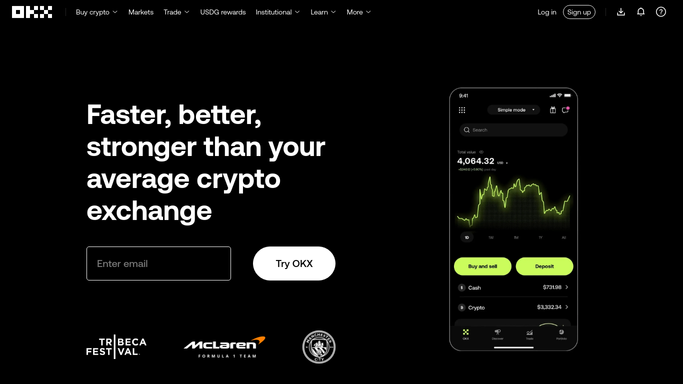
WebRun opens OKX to read last week's fills and fees. - Sign in to OKX and open the order and trade history for the previous week
- Capture every filled order with the pair, side, size, price, and timestamp
- Read the fee charged on each fill and the currency it was paid in
- Read any deposits and withdrawals in the same period with their amounts and times
- Read only. Never place, modify, or cancel an order, and never move funds
Done when Every fill, fee, and transfer from last week is captured.
-
2
Notion - append them to the ledger
notion.so How to Automate Notion

WebRun opens Notion to append them to the ledger. - Append one row per fill to your trade ledger database
- Record the date, pair, side, size, price, value, fee, and fee currency
- Add deposits and withdrawals as their own rows so transfers are not mistaken for trades
- Check the last recorded timestamp first so nothing is written twice
- Total the week's fees at the bottom of the new block
Done when The Notion ledger runs up to the end of last week with no gaps or duplicates.
-
3
Telegram - send the weekly summary
telegram.org How to Automate Telegram

WebRun opens Telegram to send the weekly summary. - Send the weekly summary: number of fills, total traded value, total fees, and transfers in and out
- Note anything the ledger could not match so it can be checked by hand
- Link the Notion ledger for the full detail
Done when Your bookkeeper has last week's summary and a link to the ledger.
How is each run configured?
Secure by default
Connect once, stays signed in
WebRun signs in once and keeps each session in a persistent environment, so every run picks up right where it left off.
Every action is checked against this policy before it runs.
Questions, answered
Can it trade or move funds?
No. This workflow reads and exports only. WebRun never places, modifies, or cancels an order, and it never deposits, withdraws, or transfers anything. Trading stays entirely in your hands.
Will rows be duplicated if it runs twice?
No. WebRun checks the last recorded timestamp in the Notion ledger before appending, so an extra run adds nothing that is already there and leaves no gaps either.
Is this enough for tax season?
It gives your bookkeeper the raw record: every fill with its pair, size, price, fee, and timestamp, plus deposits and withdrawals. WebRun does not calculate tax or give financial advice, it keeps the ledger current.
Related templates
Put this on autopilot.
Turn it on in minutes - or have our team set it up for you.