Export your Observable notebook data every week
Every Monday, WebRun opens your published Observable notebooks, reads the latest data behind each chart, notes what changed since last week in Notion, and exports the current numbers into a Google Sheet your team can filter and pivot.
- No credit card
- Under $0.01 per run
- Cancel anytime
How do I export Observable notebook data to a spreadsheet automatically?
WebRun reads your published Observable notebooks every Monday, notes what changed most in a Notion log, and exports the current numbers behind each chart into a shared Google Sheet. Data teams using Observable for live dashboards get a plain, filterable spreadsheet history without manually copying numbers out of a notebook each week.
- A filterable spreadsheet history builds up without manual copy-paste
- Notion always shows what changed most since last week
- Every tracked notebook gets a row even in a quiet week
Built for data analysts · data visualization teams · BI teams
What does WebRun do on every run?
The exact actions WebRun takes, in order - in plain language, so you can adjust anything.
-
WebRun signs in and gets to work
Opens
observablehq.comin a real browser with your saved login - no setup, no API keys. -
1
Observable - read the latest notebook data
observablehq.com
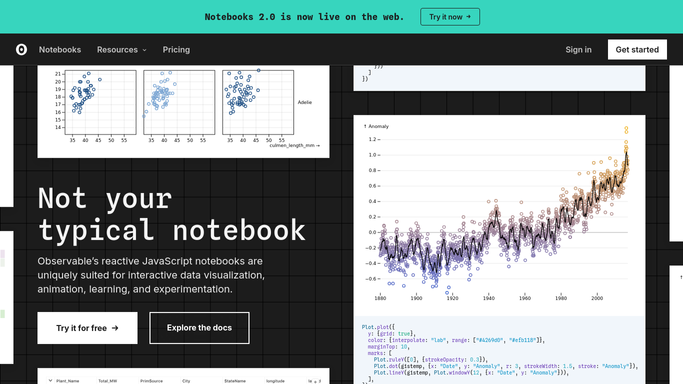
WebRun opens Observable to read the latest notebook data. - Open each tracked notebook in Observable
- Read the current data behind its charts and key cells
- Note the values that moved most since last week's export
Done when This week's data has been read from every tracked notebook.
-
2
Notion - log what changed
notion.so How to Automate Notion

WebRun opens Notion to log what changed. - Open the notebook log page in Notion
- Add an entry noting which notebooks updated and what changed most
- Link back to the notebook for anyone who wants the full detail
Done when This week's changes are logged in Notion.
-
3
Google Sheets - export the numbers to a sheet
google.com How to Automate Google Sheets

WebRun opens Google Sheets to export the numbers to a sheet. - Open the shared export spreadsheet in Google Sheets
- Append this week's numbers as a new row per notebook
- Keep the column headers consistent so the sheet stays filterable
Done when This week's notebook data is a new row in the export sheet.
How is each run configured?
Secure by default
Connect once, stays signed in
WebRun signs in once and keeps each session in a persistent environment, so every run picks up right where it left off.
Every action is checked against this policy before it runs.
Questions, answered
Does WebRun edit the Observable notebook itself?
No. It only reads the data behind each notebook's charts and cells. Nothing in the notebook is changed, run, or republished.
Can I use the exported data outside Sheets?
Yes. Because it lands as plain rows in Google Sheets, you can pull it into any BI tool or pivot it yourself.
What if a notebook did not change this week?
It still gets a row with its current numbers, so the sheet stays a complete week over week record, not just the movers.
Related templates
Put this on autopilot.
Turn it on in minutes - or have our team set it up for you.