Keep shift swaps moving without the back-and-forth
Every morning, WebRun opens ShiftWizard, pulls every pending shift-swap request, checks that each pair matches on unit, skill or certification, and overtime exposure, and posts a ranked approval queue to Slack. Once the manager approves a swap in ShiftWizard, WebRun updates the shared Google Calendar so the change is visible to the whole unit.
- No credit card
- Under $0.01 per run
- Cancel anytime
What does WebRun do on every run?
The exact actions WebRun takes, in order - in plain language, so you can adjust anything.
-
WebRun signs in and gets to work
Opens
www.healthstream.comin a real browser with your saved login - no setup, no API keys. -
1
ShiftWizard - pull and pre-check pending swaps
healthstream.com How to Automate ShiftWizard

WebRun opens ShiftWizard to pull and pre-check pending swaps. - Open ShiftWizard and list every shift-swap request pending manager approval
- Check each pair for matching unit, skill or certification, and whether either side would trigger overtime
- Flag any swap that fails a check so the manager sees the reason
Done when Every pending swap is listed with its eligibility check and any flags.
-
2
Slack - post the approval queue
slack.com How to Automate Slack
WebRun opens Slack to post the approval queue. - Post the ranked approval queue to the manager's Slack channel, cleared swaps first
- Show the eligibility check result next to each request
- Never approve or deny a swap. Leave every decision in ShiftWizard for the manager
Done when The manager has a ranked Slack queue of swaps with eligibility checks, awaiting their decision in ShiftWizard.
-
3
Google Calendar - update the shared calendar once approved
calendar.google.com How to Automate Google Calendar
WebRun opens Google Calendar to update the shared calendar once approved. - Once the manager approves a swap in ShiftWizard, update the shared unit calendar with the new assignment
- Note the swap on the event so the change is traceable
- Leave declined swaps off the calendar with no change made
Done when The shared calendar reflects every approved swap and no others.
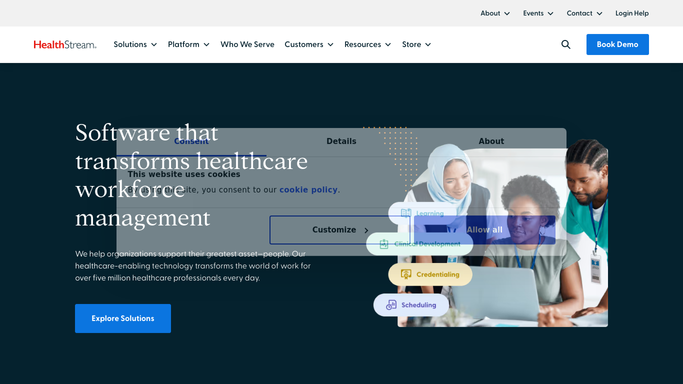


How do I manage nurse shift-swap approvals without checking ShiftWizard all day?
Every morning, WebRun opens ShiftWizard, pulls every pending shift-swap request, and checks that each pair matches on unit, skill, and overtime exposure. It posts a ranked approval queue to Slack so the manager can decide quickly, then updates the shared Google Calendar only after a swap is approved in ShiftWizard, keeping the whole unit's view current.
- Swap requests arrive pre-checked for unit, skill, and overtime risk
- Managers approve from a ranked Slack queue instead of hunting through ShiftWizard
- The shared calendar only ever shows swaps a manager actually approved
Built for nurse managers · charge nurses · staffing office coordinators · unit schedulers
How is each run configured?
Secure by default
Connect once, stays signed in
WebRun signs in once and keeps each session in a persistent environment, so every run picks up right where it left off.
Every action is checked against this policy before it runs.
Questions, answered
Does WebRun approve the swaps itself?
No. WebRun only checks eligibility and queues the request. Every approval or denial happens in ShiftWizard, made by the manager, never by WebRun.
What does the eligibility check actually verify?
It confirms both nurses are qualified for the other's unit and skill requirement, and it flags whether either side of the swap would push someone into overtime, so the manager sees the risk before deciding.
Will the calendar update before a swap is approved?
No. The shared calendar only changes after the manager approves the swap in ShiftWizard. Pending and declined requests leave the calendar untouched.
Related templates
Put this on autopilot.
Turn it on in minutes - or have our team set it up for you.