Get a weekly digest of Nextdoor mentions and recommendations
Every Monday, WebRun opens Nextdoor, searches your neighborhood feed for posts mentioning or recommending your business from the past week, logs each one to Airtable with its tone, and emails you a recap so you know what neighbors are saying.
- No credit card
- Under $0.01 per run
- Cancel anytime
How do I keep track of what neighbors say about my business on Nextdoor?
WebRun searches Nextdoor every Monday for posts mentioning or recommending your business from the past week, logs each one to Airtable with its tone, and emails you a recap from your own Gmail so you always know what neighbors are saying. It never replies to a neighbor itself, leaving every public response to you.
- Negative mentions get flagged for a personal follow up the same week
- A running mention history builds in Airtable without manual searching
- You always know what neighbors are saying, positive or negative
Built for Local business owners · neighborhood service providers · real estate agents · small retail shops
What does WebRun do on every run?
The exact actions WebRun takes, in order - in plain language, so you can adjust anything.
-
WebRun signs in and gets to work
Opens
nextdoor.com/loginin a real browser with your saved login - no setup, no API keys. -
1
Nextdoor - search for mentions and recommendations
nextdoor.com
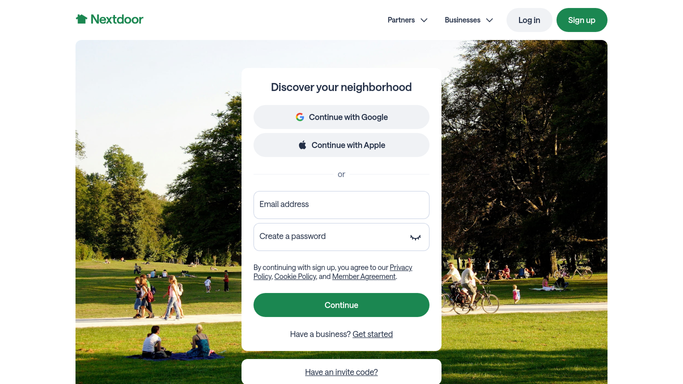
WebRun opens Nextdoor to search for mentions and recommendations. - Open Nextdoor and search your neighborhood feed for your business name
- Note every mention or recommendation from the past 7 days
- Record whether the tone reads positive, neutral, or negative
Done when Every mention from the past week has been found and read.
-
2
Airtable - log every mention
airtable.com How to Automate Airtable

WebRun opens Airtable to log every mention. - Open the mention tracker base in Airtable
- Add a record for each mention with the neighborhood, tone, and a link
- Keep a running count of positive versus negative mentions
Done when This week's mentions are logged in the Airtable tracker.
-
3
Gmail - email you the recap
gmail.com How to Automate Gmail

WebRun opens Gmail to email you the recap. - Draft a weekly recap of what neighbors said about your business
- Send it to you from your own Gmail account
- Flag any negative mention for a personal follow up
Done when You have this week's Nextdoor recap in your inbox.
How is each run configured?
Secure by default
Connect once, stays signed in
WebRun signs in once and keeps each session in a persistent environment, so every run picks up right where it left off.
Every action is checked against this policy before it runs.
Questions, answered
Does WebRun reply to neighbors on Nextdoor?
No. It only reads and logs mentions. Replying to a post or recommendation is always something you do yourself.
Does it only track positive recommendations?
No, it logs every mention regardless of tone and flags negative ones so you can decide whether a personal follow up is worth it.
Which neighborhoods does it search?
It searches the neighborhood feeds visible to your business page on Nextdoor, so it reflects what your actual local audience is seeing.
Related templates
Put this on autopilot.
Turn it on in minutes - or have our team set it up for you.