Route critical nephrology lab results to the right provider the moment they land
Every hour, WebRun opens Acumen and checks for new lab results for nephrology patients. It compares each result against nephrology-specific reference ranges, flags values outside range as critical or borderline, routes an alert to the responsible provider's Slack channel, and logs every result reviewed to a Google Sheets results ledger.
- No credit card
- Under $0.01 per run
- Cancel anytime
What does WebRun do on every run?
The exact actions WebRun takes, in order - in plain language, so you can adjust anything.
-
WebRun signs in and gets to work
Opens
service.acumenmd.comin a real browser with your saved login - no setup, no API keys. -
1
Acumen - check for new lab results
acumenmd.com How to Automate Acumen

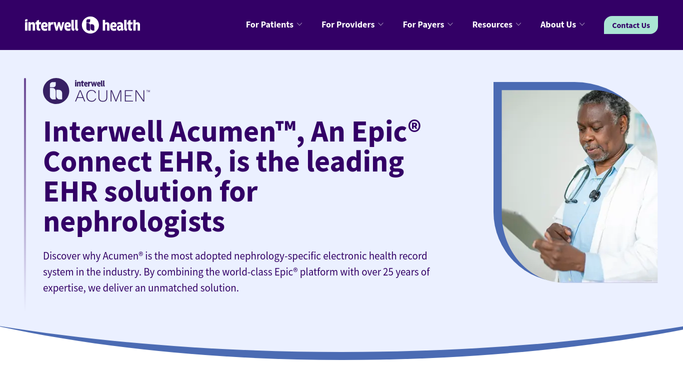
WebRun opens Acumen to check for new lab results. - Open Acumen and check the results inbox for lab results received since the last run
- For each result, read the test name, value, and reference range
- Flag results outside the nephrology-specific reference range as critical (far outside) or borderline
- Identify the responsible provider and patient for each flagged result
- Exclude results already reviewed and acknowledged in Acumen
Done when All new lab results are read, categorized as normal, borderline, or critical, and the responsible provider is identified.
-
2
Google Sheets - log all results reviewed
google.com How to Automate Google Sheets
WebRun opens Google Sheets to log all results reviewed. - Append each new result to the Results Routing Ledger sheet
- Record patient name, MRN, test name, value, reference range, flag status, provider, and result received time
- Update the flag status column if a provider acknowledges the result via Slack
Done when Every result reviewed this hour is logged in the ledger with its flag status.
-
3
Slack - alert provider to critical or borderline values
slack.com How to Automate Slack
WebRun opens Slack to alert provider to critical or borderline values. - Post a direct alert to the responsible provider's Slack channel for each critical or borderline result
- Include the patient name, MRN, test name, value, and reference range in the alert
- Ask the provider to acknowledge the alert in Slack to mark it as reviewed
- Post a summary count of results reviewed this hour to the clinical team channel for awareness
Done when Providers have received Slack alerts for all critical and borderline results from the past hour.


How do I automatically route critical nephrology lab results to the right provider?
Every hour, WebRun opens Acumen and checks for new nephrology lab results. It reads each value against nephrology-specific reference ranges, flags critical and borderline results, routes an immediate Slack alert to the responsible provider, and logs every result in a Google Sheets ledger, so no critical lab value waits until the next scheduled visit.
- Critical lab values reach the responsible provider within the hour, not the next clinic day
- Every result reviewed is logged in a Google Sheets ledger for compliance and audit
- Providers acknowledge alerts in Slack, creating a documented review trail
Built for nephrology providers · CKD clinic clinical teams · dialysis care coordinators · nephrology medical directors
How is each run configured?
Secure by default
Connect once, stays signed in
WebRun signs in once and keeps each session in a persistent environment, so every run picks up right where it left off.
Every action is checked against this policy before it runs.
Questions, answered
Does WebRun contact the patient about their lab results?
No. WebRun routes results alerts only to the responsible provider and the clinical team via Slack. All communication with patients about lab results is handled by the clinical team through Acumen's patient communication tools.
How does it determine nephrology-specific reference ranges?
It reads the reference ranges stored in Acumen for each test. You can configure additional nephrology-specific thresholds, such as eGFR tiers or potassium alert levels, in the workflow settings during setup.
What happens if a result is already acknowledged in Acumen before WebRun checks?
WebRun checks the acknowledgment status in Acumen before posting a Slack alert. Results already marked as reviewed are logged in the ledger but no duplicate Slack alert is sent.
Related templates
Put this on autopilot.
Turn it on in minutes - or have our team set it up for you.