Fill last-minute cancellations from your waitlist
Every few minutes, WebRun checks Mangomint for newly cancelled appointments, finds the next matching client on the waitlist, drafts an SMS offer for the open slot through Twilio, and posts it to Slack for your approval before any message reaches the client.
- No credit card
- Under $0.01 per run
- Cancel anytime
What does WebRun do on every run?
The exact actions WebRun takes, in order - in plain language, so you can adjust anything.
-
WebRun signs in and gets to work
Opens
mangomint.comin a real browser with your saved login - no setup, no API keys. -
1
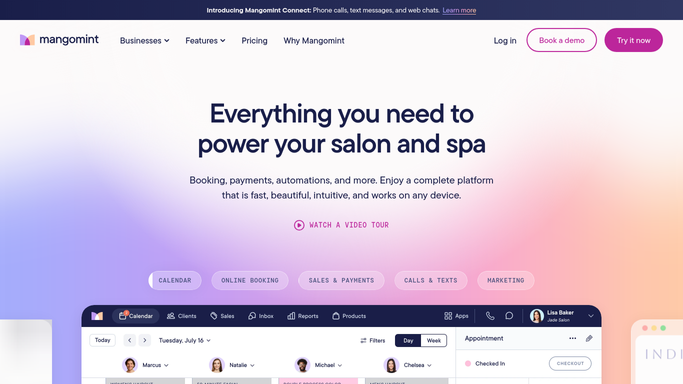
Mangomint - detect cancellations and check waitlist
mangomint.com How to Automate Mangomint

WebRun opens Mangomint to detect cancellations and check waitlist. - Open Mangomint and check for appointments cancelled or no-showed in the last polling window
- Note the open slot details: date, time, service type, and technician
- Find the next waitlisted client who matches the slot service and timing
Done when Each newly cancelled slot is paired with the next eligible waitlisted client.
-
2
Twilio - draft slot offer to waitlisted client
twilio.com How to Automate Twilio
WebRun opens Twilio to draft slot offer to waitlisted client. - Draft a friendly SMS offering the open slot to the matched waitlisted client
- Include the date, time, service, and a clear call to action to reply or call to confirm
- Leave the message as a draft. Do not send until approved
Done when A draft offer text exists for each open slot, unsent and ready for review.
-
3
Slack - queue offer for approval
slack.com How to Automate Slack
WebRun opens Slack to queue offer for approval. - Post each draft offer to the Slack channel for quick review
- Include the open slot details and the matched client name and number
- Prompt the team to approve or adjust the message before it is sent
Done when Staff can review and approve each cancellation fill offer from Slack.


How can I automatically fill cancelled nail salon appointments from a waitlist?
WebRun monitors Mangomint every few minutes for cancellations, matches each open slot to the next eligible client on your waitlist, and drafts an SMS offer through Twilio. The draft is posted to Slack for your approval before any message is sent, so cancelled slots get filled quickly without uncontrolled client outreach.
- Cancelled slots are matched to a waitlisted client within minutes, not hours
- Staff review and approve every offer from Slack before it reaches the client
- Revenue lost to cancellations is recovered without manual waitlist calls
Built for nail salon owners · salon managers · nail technicians · beauty salon front desk
How is each run configured?
Secure by default
Connect once, stays signed in
WebRun signs in once and keeps each session in a persistent environment, so every run picks up right where it left off.
Every action is checked against this policy before it runs.
Questions, answered
Will it text waitlisted clients without my approval?
No. WebRun drafts each slot offer and holds it in Slack for your review. Nothing is sent to any client until you approve the message, so you stay in control of every outbound text.
How does it pick which waitlisted client to contact first?
WebRun matches the open slot to the next eligible client on the Mangomint waitlist by service type and timing, following the queue order already set up in your system.
What if no one on the waitlist fits the open slot?
If no matching waitlisted client is found, WebRun posts a Slack alert about the open slot so staff can fill it manually or offer it to walk-ins.
Related templates
Put this on autopilot.
Turn it on in minutes - or have our team set it up for you.